1.2 Data Engineering on the Cloud
1.2.1 Intro to AWS Cloud
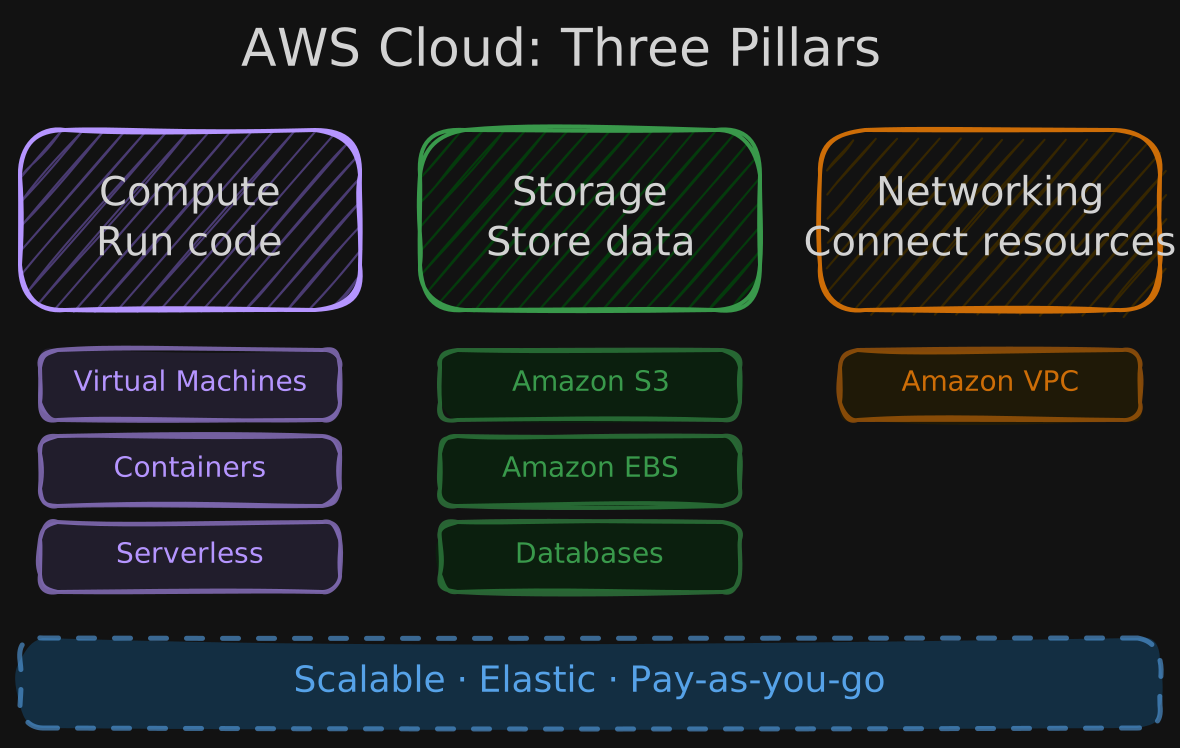
AWS provides on-demand delivery of IT resources with pay-as-you-go pricing. These resources fall into three categories:
Advantages of Building on Cloud
Cloud resources are scalable and elastic. You don’t need to predict exact storage capacity upfront or manage scaling operations yourself - the cloud handles that.
AWS Regions
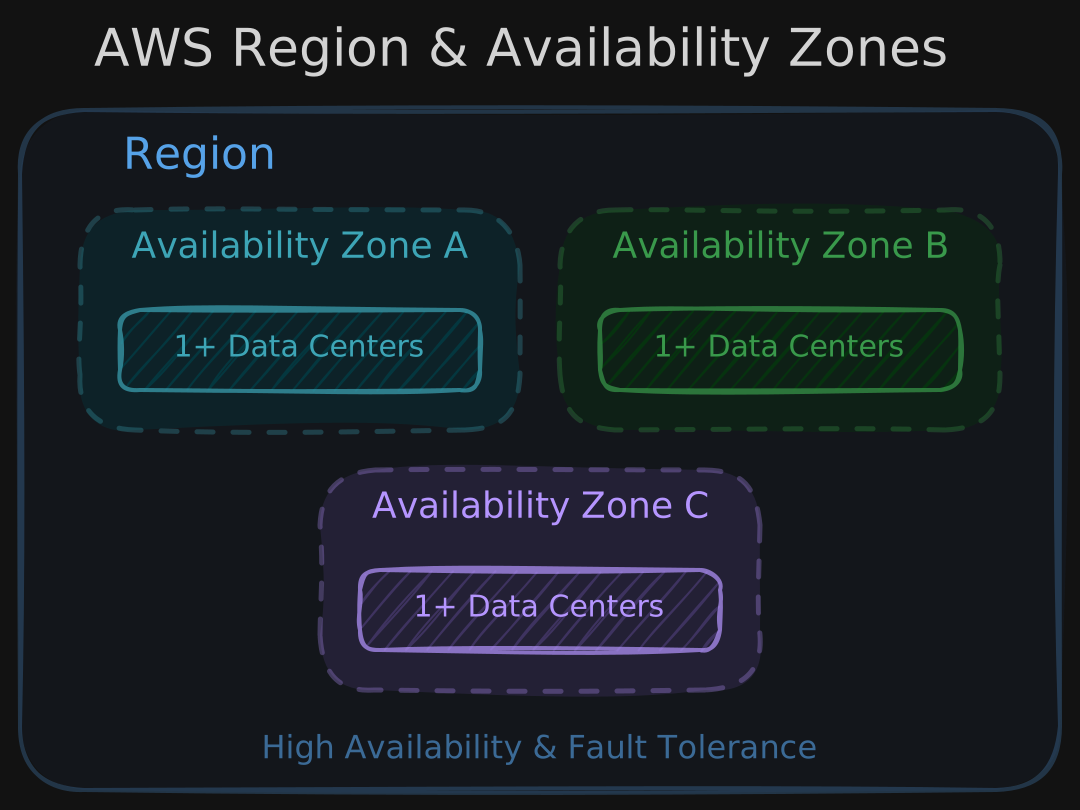
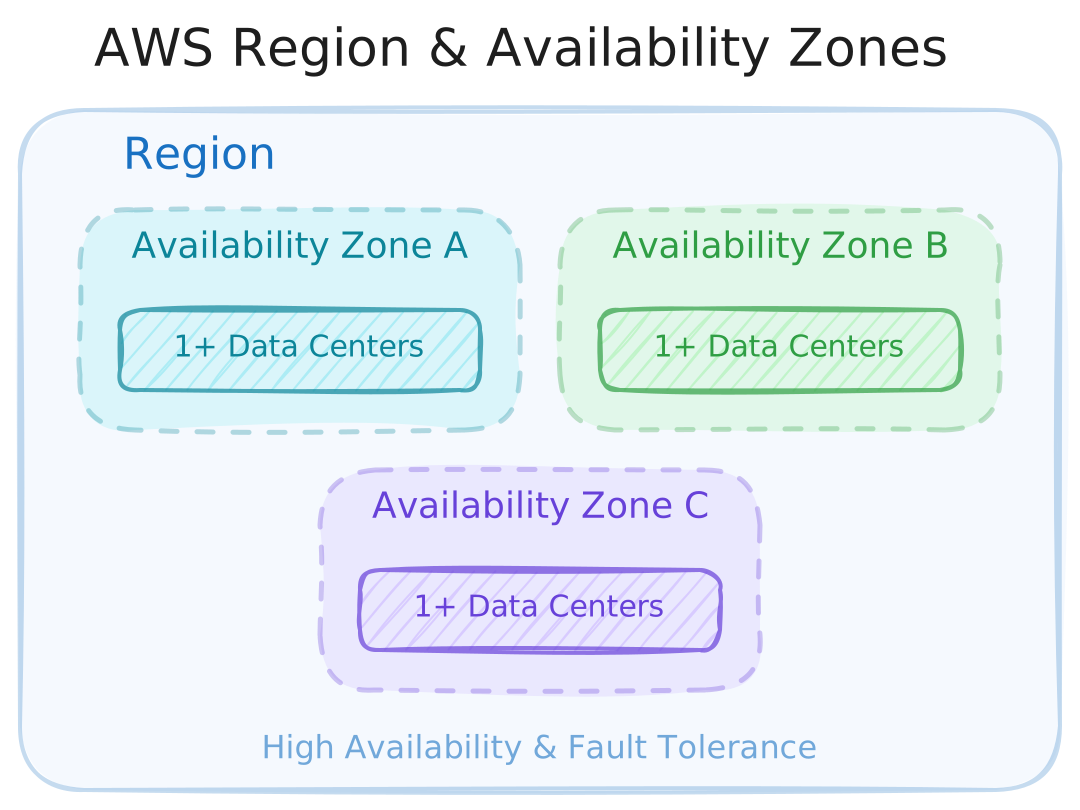
AWS infrastructure is organized into regions - geographically distributed collections of data centers. Each region contains multiple availability zones (AZs), which are separate data centers interconnected for reliability and performance.
The purpose of multiple AZs is high availability and fault tolerance. If one AZ goes down due to a power outage or natural disaster, your workloads in other AZs continue running.
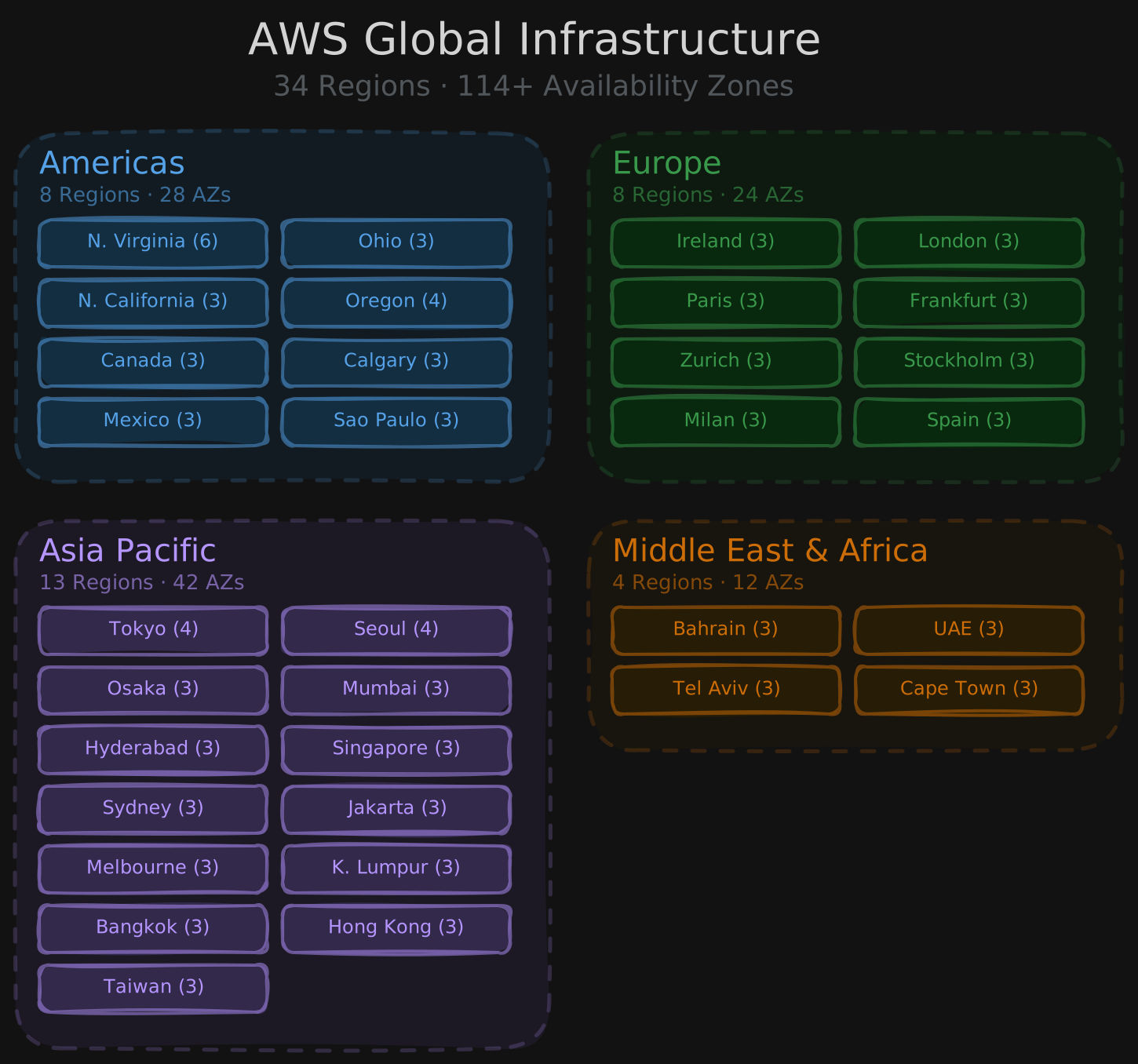
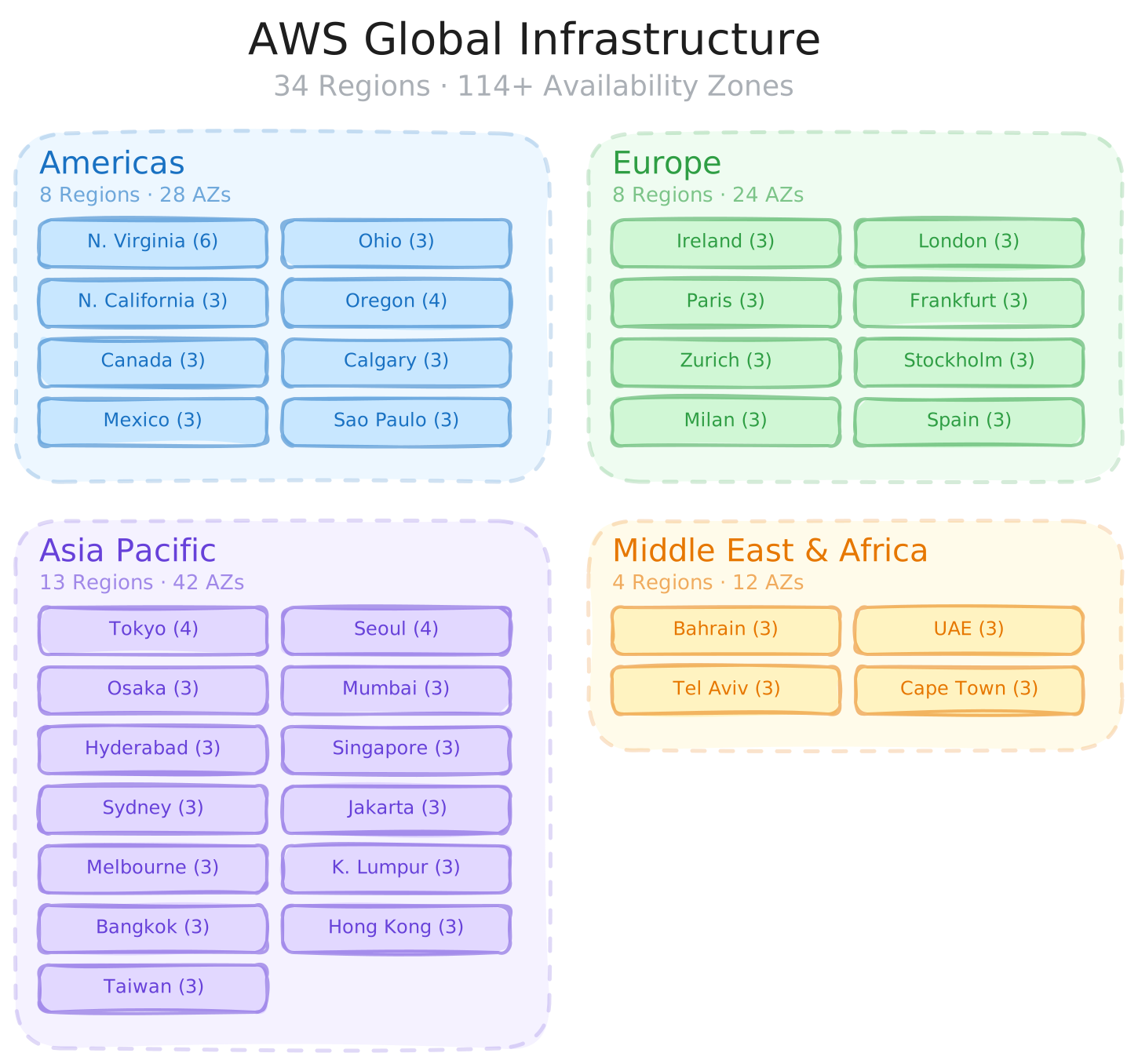
As of 2026, AWS operates 34 regions across 114+ availability zones worldwide. Regions are grouped across four geographies - Americas, Europe, Asia Pacific, and Middle East & Africa. Most regions have 3 AZs, with a few exceptions like us-east-1 (N. Virginia) which has 6. When choosing a region, consider latency to your users, data residency requirements, and service availability.
1.2.2 Intro to AWS Core Services


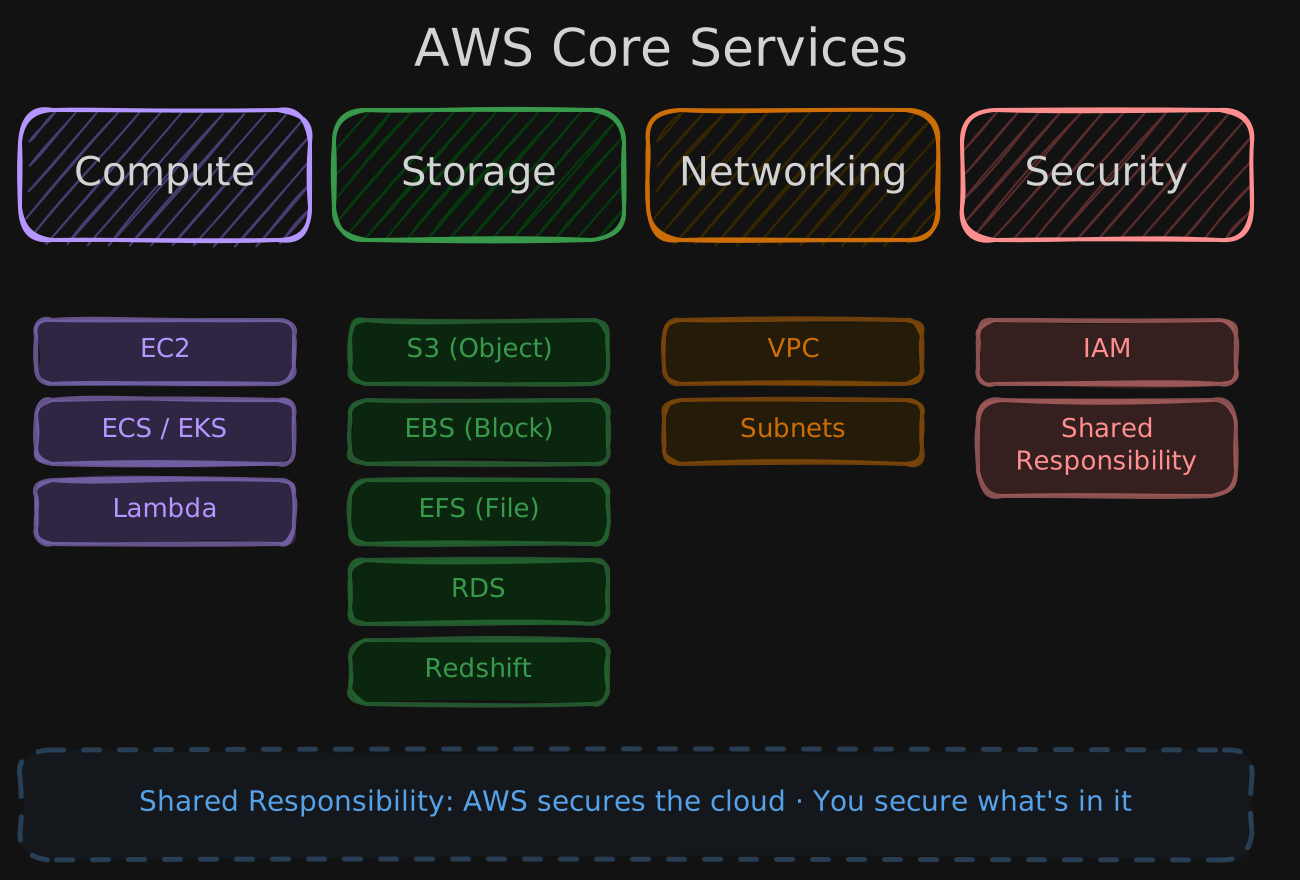
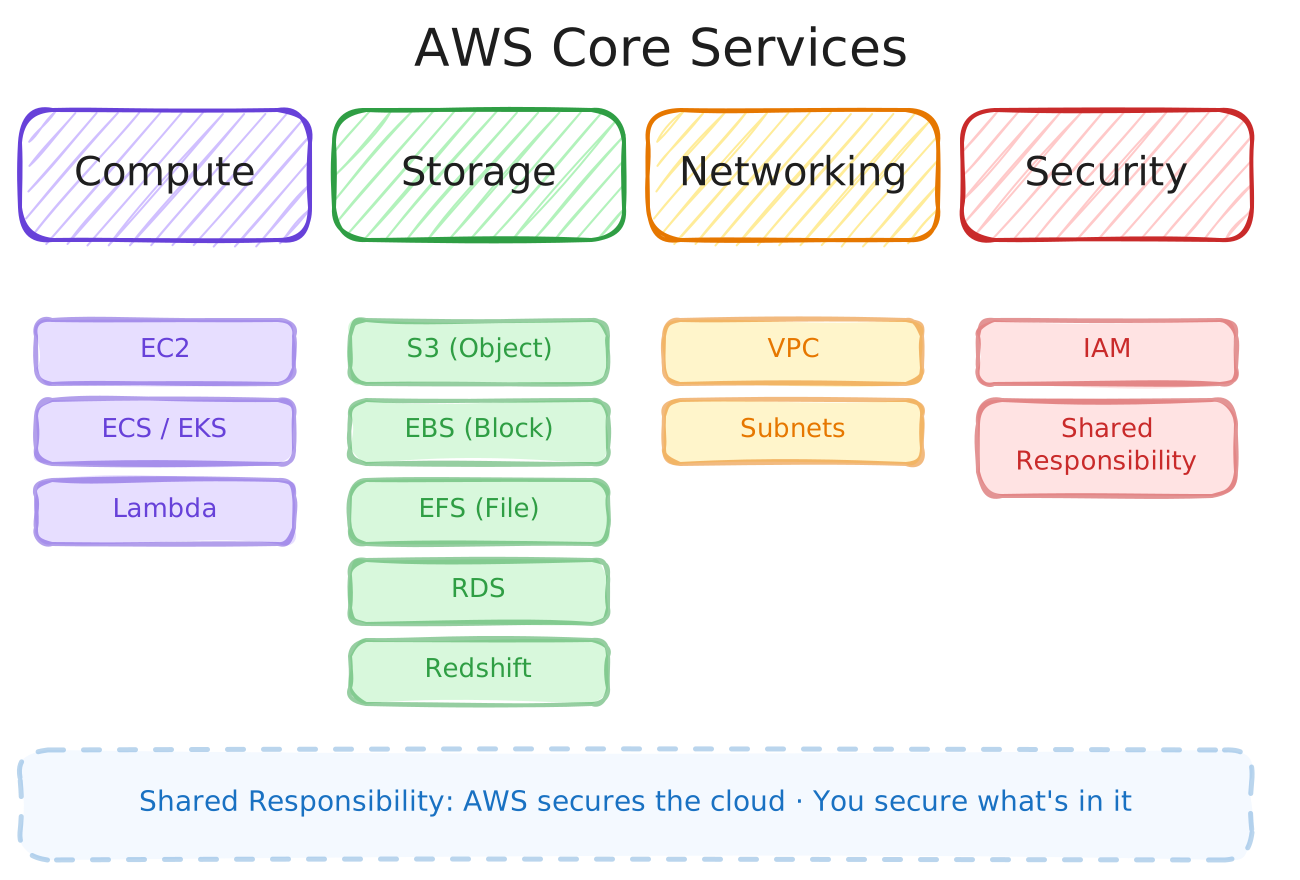
Compute
Amazon EC2 (Elastic Compute Cloud) provides virtual machines on AWS. You can run any operating system and application, making it useful for development machines, web servers, containers, and ML workloads.


Networking
Amazon VPC (Virtual Private Cloud) lets you create an isolated private network for your resources. VPCs are separated from other networks, and you can choose their size and partition them into smaller subnets.
Storage
AWS offers several storage types, each suited to different use cases:
- Object Storage (
S3) - primarily for unstructured data - Block Storage (
EBS) - for databases, VM file systems, and other low-latency workloads - File Storage (
EFS) - data organized into files and directories, similar to a local filesystem - Relational Database Service (
RDS) - managed relational databases Amazon Redshift- a data warehouse service for storing, transforming, and serving data to end users








Security
AWS uses a Shared Responsibility Model: AWS is responsible for security of the cloud (infrastructure), while the customer is responsible for security in the cloud (data, access, configuration).
1.2.3 Compute - Amazon Elastic Compute Cloud (EC2)
Amazon EC2 (Elastic Compute Cloud) provides virtual servers on AWS. It’s one of the foundational cloud services - giving you the compute resources needed to run your applications.
What is a server? How is a virtual server different from a regular server?
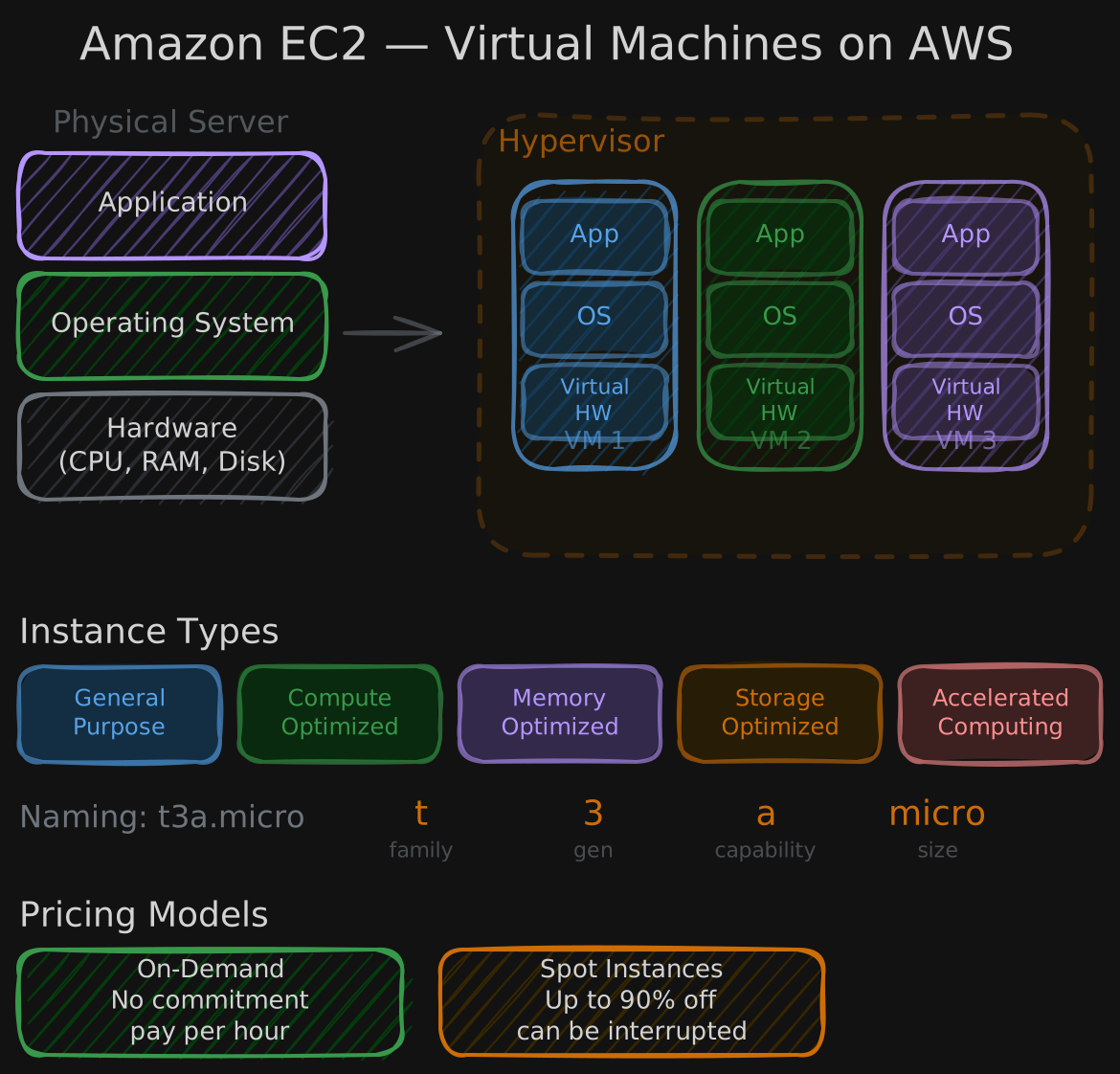
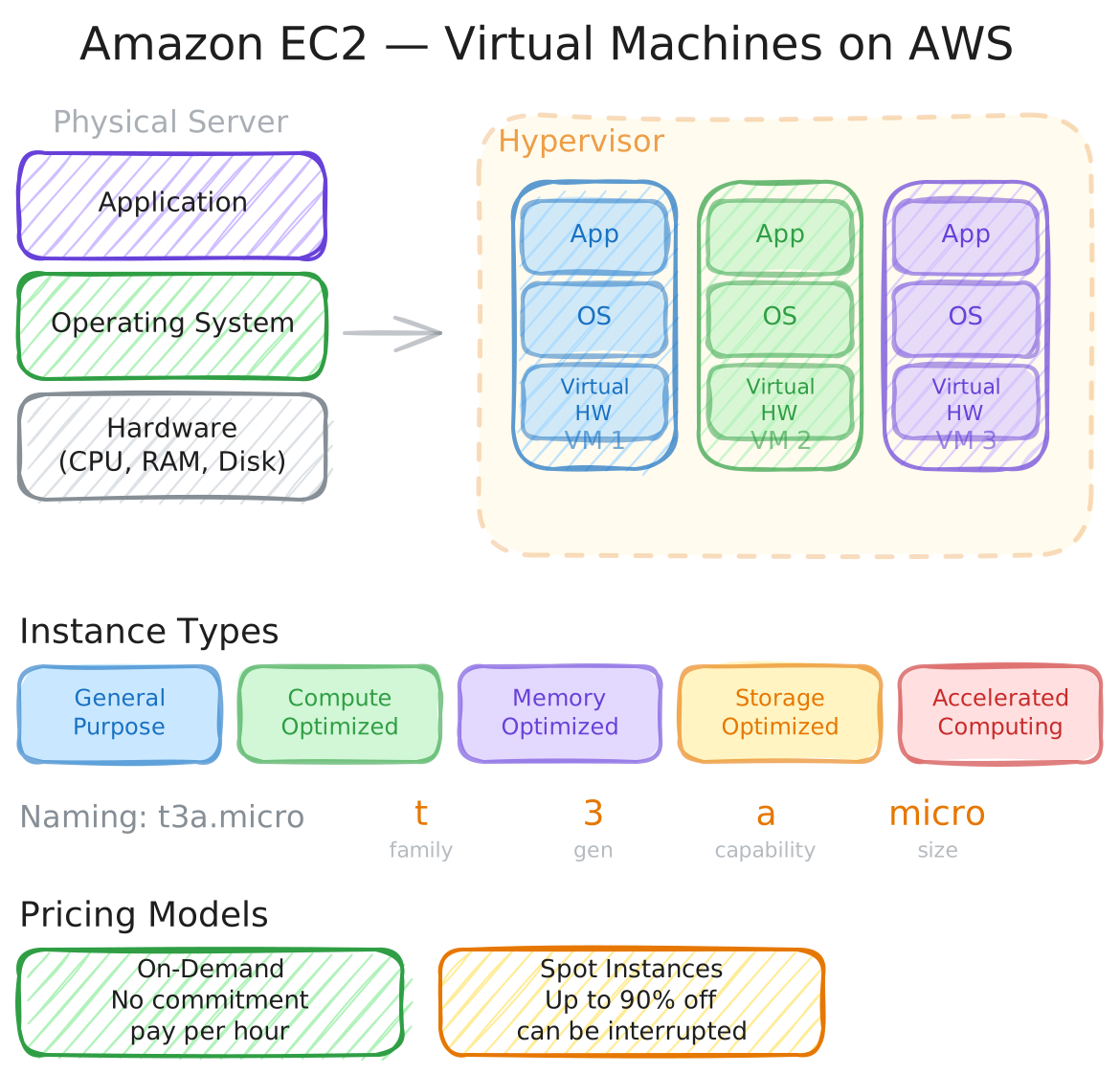
A server is a computer (or set of computers) that hosts and runs applications. It consists of physical hardware (CPU, RAM, storage, networking), an operating system, and the applications on top.
On the cloud, your application doesn’t interact with physical hardware directly. Instead, it runs on virtual hardware - a software emulation of real hardware. The combination of virtual hardware, an OS, and your application forms a virtual machine. This abstraction allows multiple VMs to share the same physical resources efficiently.
Resource sharing is managed by a hypervisor, which distributes physical CPU, memory, and other resources across virtual machines as needed.
Amazon EC2
EC2 instances are AWS’s virtual machines and one of the primary building blocks of any cloud architecture. Many other AWS services are built on top of EC2 under the hood.
“Elastic” means you acquire only the compute and memory you need, scale up or down as requirements change, and pay only for what you use. You can stop or terminate instances when they’re no longer needed.
EC2 instances are grouped into types based on workload profile: general purpose, compute optimized, memory optimized, storage optimized, and accelerated computing.
AWS uses a naming convention for instance types. For example, t3a.micro breaks down as:
- t - family name
- 3 - generation
- a - optional capabilities
- micro - size
For pricing, on-demand instances offer compute capacity with no long-term commitment. Spot instances provide unused EC2 capacity at a steep discount, ideal for fault-tolerant or flexible workloads.
1.2.4 Networking - Virtual Private Cloud (VPC) & Subnets
Networking is a fundamental building block for hosting workloads on the cloud.
What is a network?
A network is a collection of devices connected together, exchanging requests and responses. When you create AWS resources, you need them to communicate with each other - and potentially with the public internet. This requires understanding a few core concepts: IP addresses, VPCs, and subnets.
What is an IP address?
Every device in a network is assigned an IP address - a unique identifier that ensures traffic reaches the correct destination.
IPv4 is the most widely used version. An IPv4 address is a 32-bit number written as four octets (e.g., 192.101.0.2), where each octet ranges from 0 to 255.
CIDR notation (Classless Inter-Domain Routing) represents a range of IP addresses for a network. For example, 192.101.0.0/24 means the first 24 bits are fixed and the last 8 bits vary - covering all addresses from 192.101.0.0 to 192.101.0.255. CIDR lets you provision exactly the number of addresses a network needs.
What is a VPC?
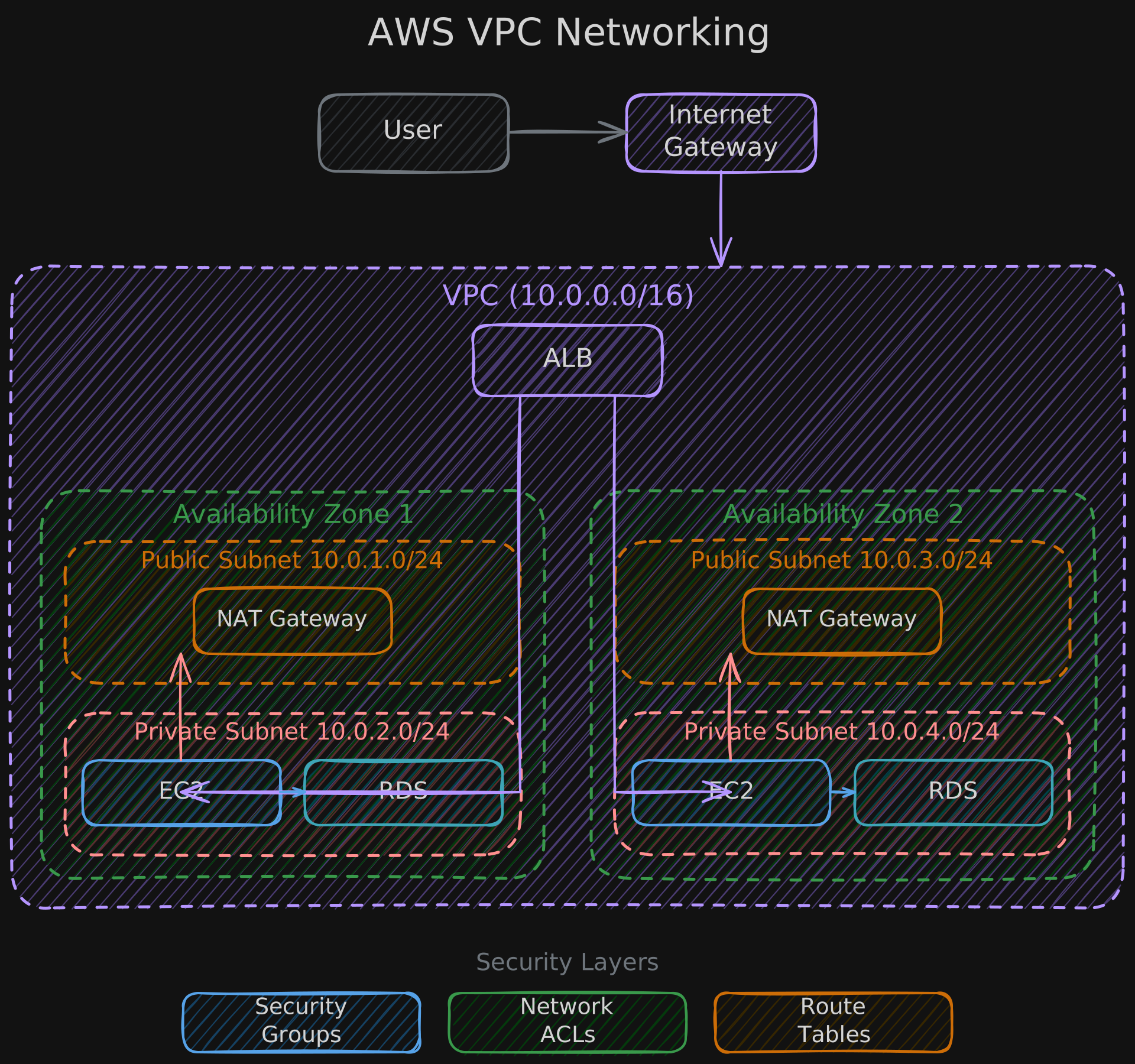
A VPC (Virtual Private Cloud) is an isolated private network where you launch AWS resources. A VPC lives inside a region and spans multiple availability zones. Think of it as a boundary that protects and organizes your resources.
Resources within the same VPC can communicate freely. By default, there is no communication between different VPCs or with the internet unless you explicitly configure it.
When creating a VPC, you specify a CIDR block that determines the network’s size and the range of IP addresses available to resources inside it.
What is a subnet?
Subnets let you partition a VPC into smaller networks with different access policies. Each subnet lives in a single availability zone and is assigned a CIDR block that’s a subset of the VPC’s block.
- Public subnets allow outside traffic to reach your resources
- Private subnets block outside traffic entirely
Resources across multiple subnets of the same VPC can still communicate because they share the same network.