1.2 Connecting to Source Systems
This lesson covers how to connect to source systems programmatically, secure access with IAM, and understand the networking fundamentals that underpin cloud infrastructure.
1.2.1 Connecting to Source Systems
There are several ways to connect to source systems on AWS. For example, boto3 connects to Amazon DynamoDB via Python, while the mysql CLI connects to Amazon RDS MySQL databases.
To find the endpoint and port number in the AWS console (e.g., for Amazon RDS), navigate to the sidebar, select Databases, then check the Connections and Security tab.
The programmatic approach is preferred because it’s more repeatable and traceable:
- CLI
- Python SDK (
boto3) - API Connectors (e.g., JDBC/ODBC API)
1.2.2 Connecting to an Amazon RDS Instance
Connecting to an existing MySQL instance requires three pieces of information: the database hostname/endpoint, the database port, and a username and password. You can retrieve these from the AWS Management Console or the CLI.
AWS CloudShell provides a browser-based shell with CLI access to AWS resources. To connect:
mysql --host=[hostname] --port=[port number] --user=[database user name] --password=[database user password]This command is MySQL-specific, but equivalent commands exist for other databases. To retrieve the endpoint and port via CLI, use the describe-db-instances command:
aws rds describe-db-instances --filters "Name=engine,Values=mysql" --query "*[].[DBInstanceIdentifier,Endpoint.Address,Endpoint.Port,MasterUsername]"After connecting, you interact with the database using SQL queries. Type exit or \q to disconnect.
Connecting through Python requires the pymysql package, which establishes a connection via its connect method. Use boto3 to retrieve credentials programmatically:
import boto3

access_key_id = "A***********H"
secret_access_key = "b**********Z"
region_name = "us-east-1"

session = boto3.Session(
    aws_access_key_id=access_key_id,
    aws_secret_access_key=secret_access_key,
    region_name=region_name
)

rds = session.client("rds")
dbInstance = rds.describe_db_instances()['DBInstances'][0]
The dbInstance dictionary contains connection details like the endpoint, port, engine, and master username:
dbInstance
# {'DBInstanceIdentifier': 'database-1',
#  'DBInstanceClass': 'db.t3.micro',
#  'Engine': 'mysql',
#  'DBInstanceStatus': 'available',
#  'MasterUsername': 'admin',
#  'Endpoint': {'Address': 'database-1.cj6ooy6qkmft.us-east-1.rds.amazonaws.com',
#               'Port': 3306},
#  ...}
Then connect using pymysql.connect():
import pymysql

try:
    conn = pymysql.connect(host=ENDPOINT, user=USER, password=token, port=PORT, database=DBNAME)
    cur = conn.cursor()
    cur.execute("""SELECT * from pet""")
    query_results = cur.fetchall()
    print(query_results)
except Exception as e:
    print("Database connection failed due to {}".format(e))
1.2.3 Basics of IAM and Permissions
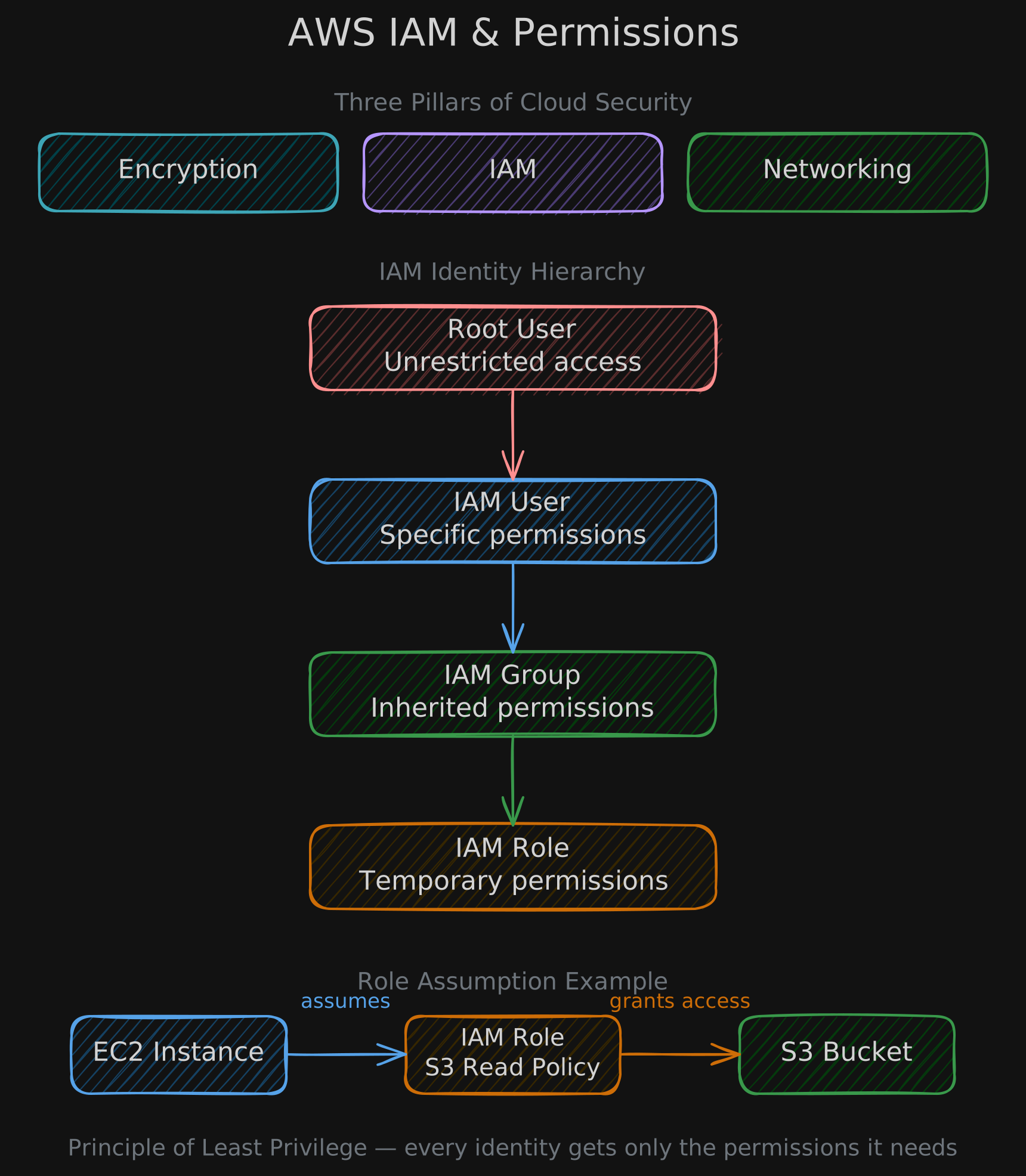
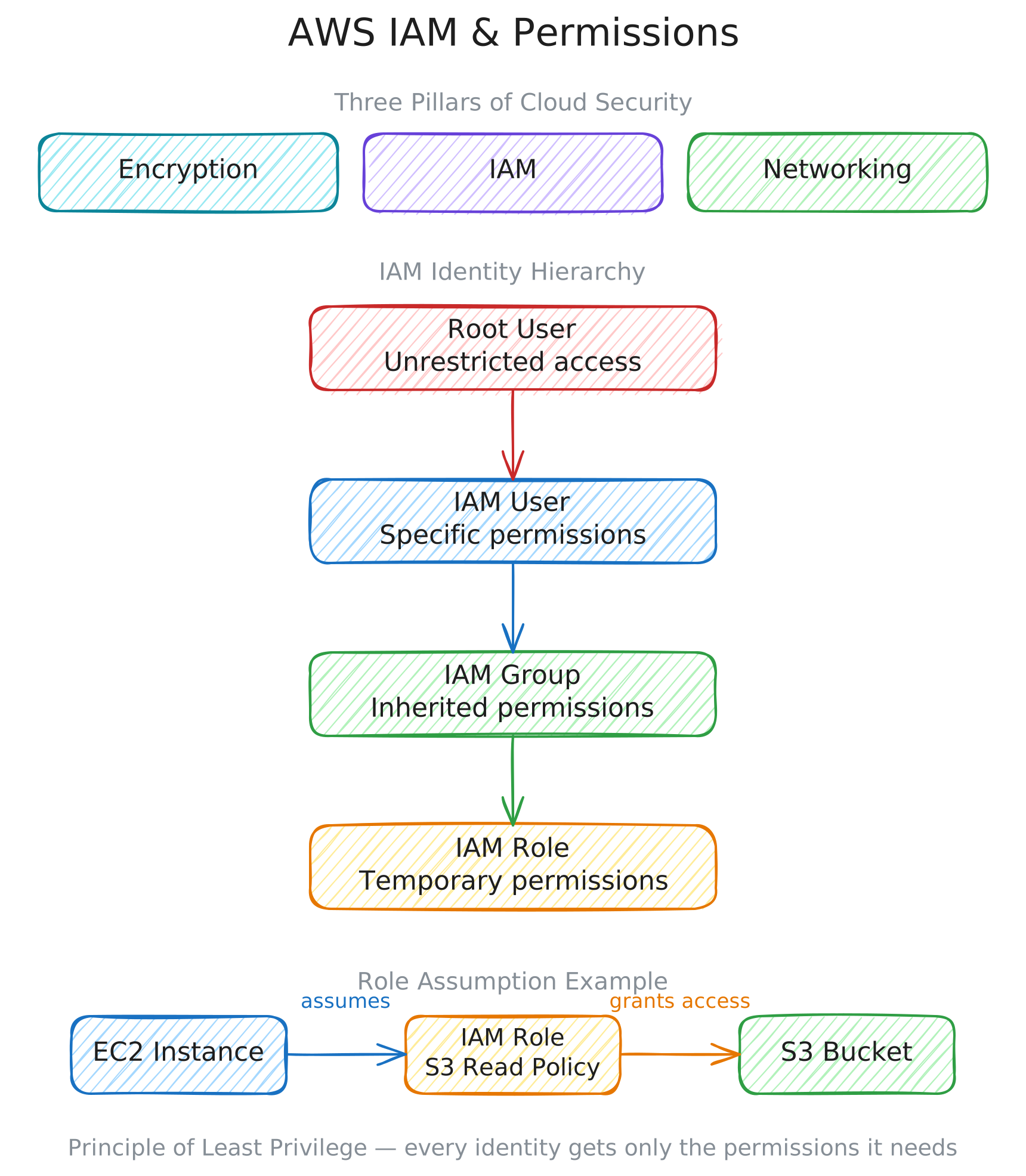
IAM (Identity and Access Management) is the framework for managing permissions in the cloud. Security on the cloud rests on three pillars: encryption methods, IAM, and networking protocols.
Half of all cloud data breaches are caused by human error — things like leaving confidential data on a public S3 bucket, committing access credentials to GitHub, or granting unnecessary admin access.
IAM addresses this through the principle of least privilege: every identity gets only the permissions it needs. Permissions define which actions an identity can perform on a specific set of resources.
AWS IAM uses policies to grant permissions, organized in a hierarchy:
- Root user: Unrestricted access to all resources.
IAMuser: Specific permissions via username/password or access key.IAMgroup: A collection of users that inherit permissions from the group policy.IAMrole: Temporary permissions assumed by a user, application, or service.- Example 1: Let’s say you run a code on an
EC2instance that needs to read fromS3. By default, theEC2instance does not have permission to read fromS3. You can transfer your credentials toEC2, but this is not secure. A better approach is to create a role, attach the required policy to read fromS3, and allow theEC2instance to assume this role. - Example 2: Let’s say you run a
GlueETL job and want it to write the ingested and transformed data toS3. You can create a role with permissions to write toS3, then allowGlueETL to assume this role.
- Example 1: Let’s say you run a code on an
1.2.4 Basics of Networking in the Cloud
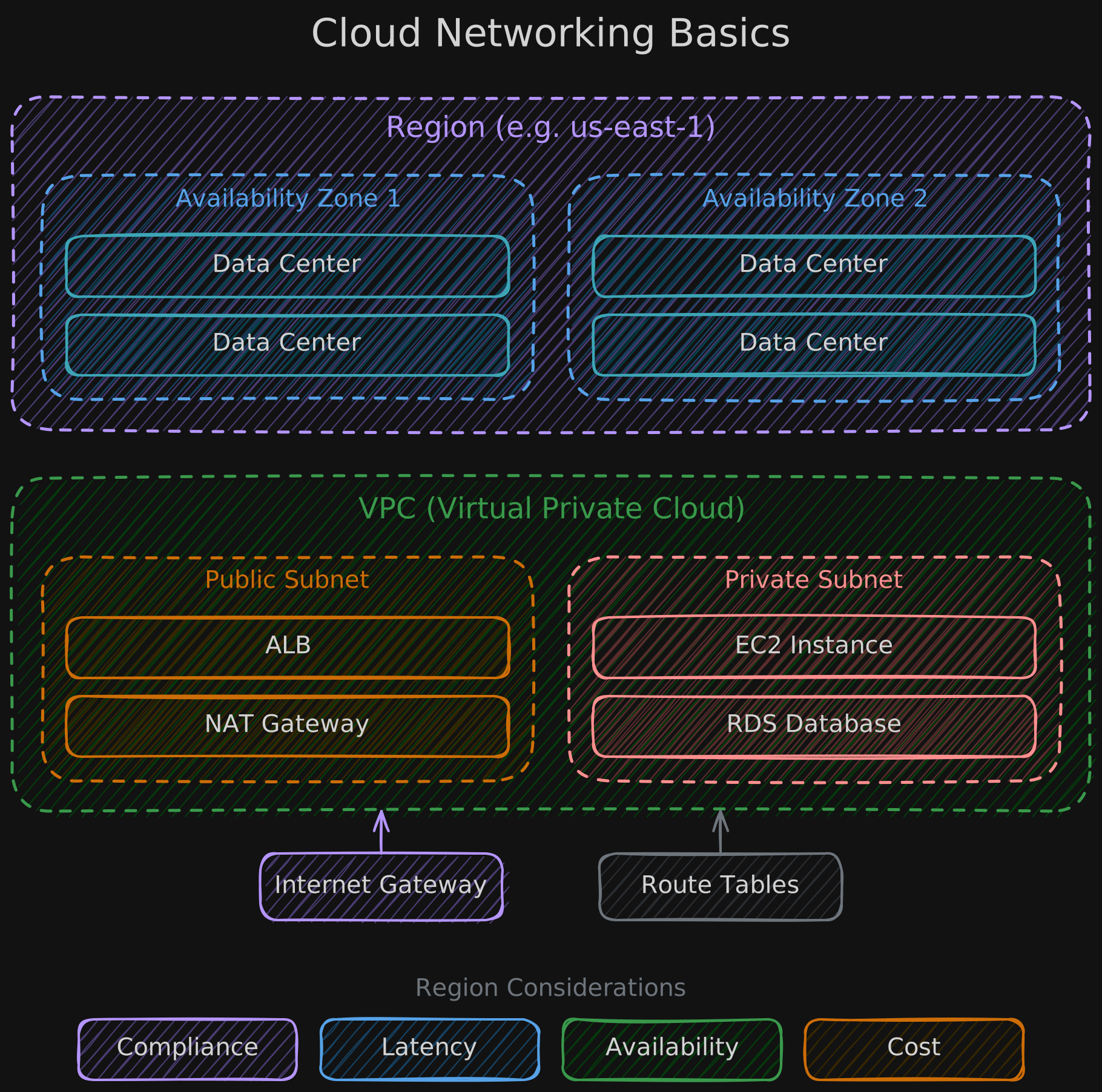
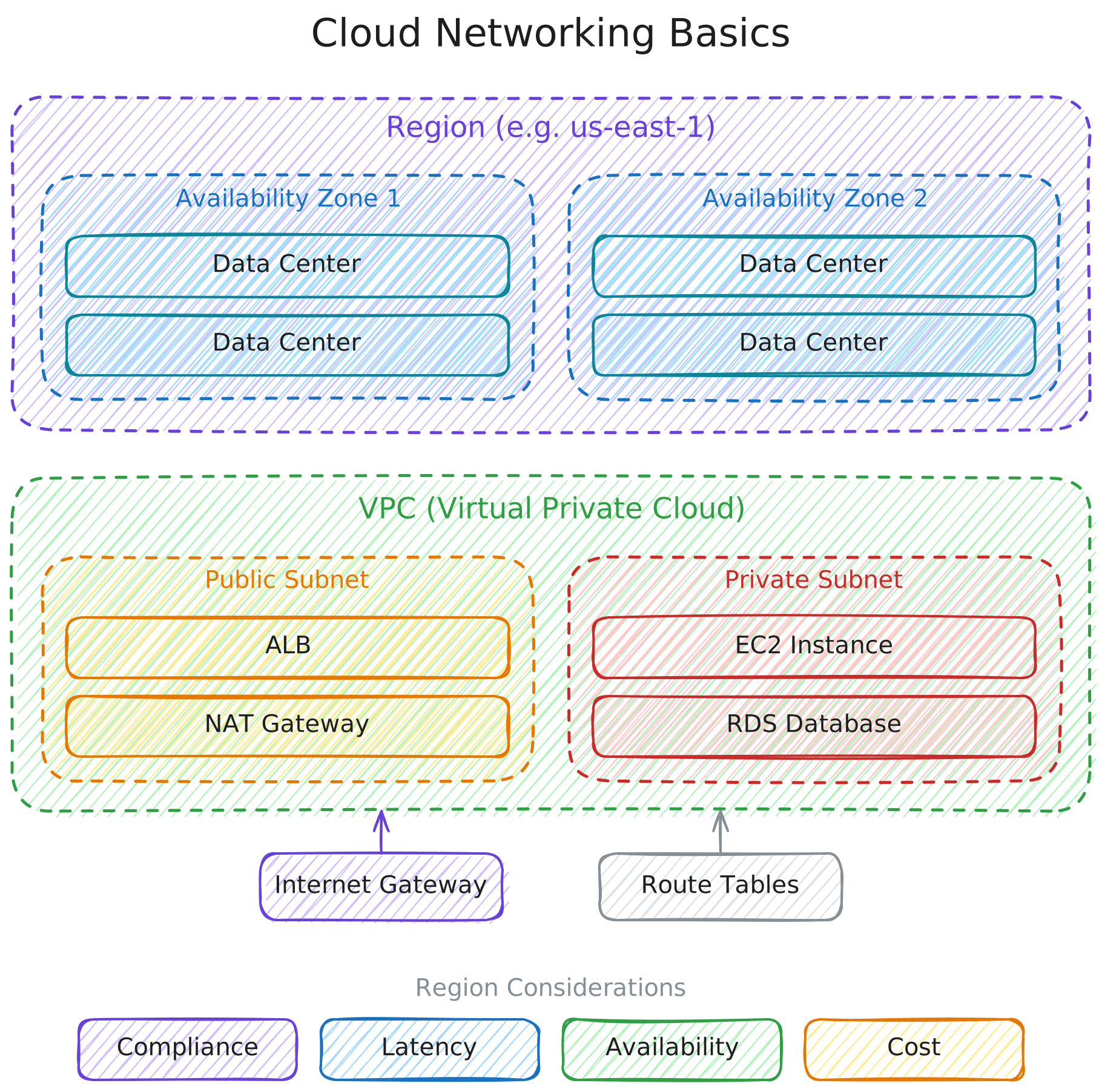
Cloud providers organize their infrastructure into a physical hierarchy that directly impacts how you design and secure your systems.
Hierarchy:
- Region contains multiple Availability Zones, each with one or more physical data centers.
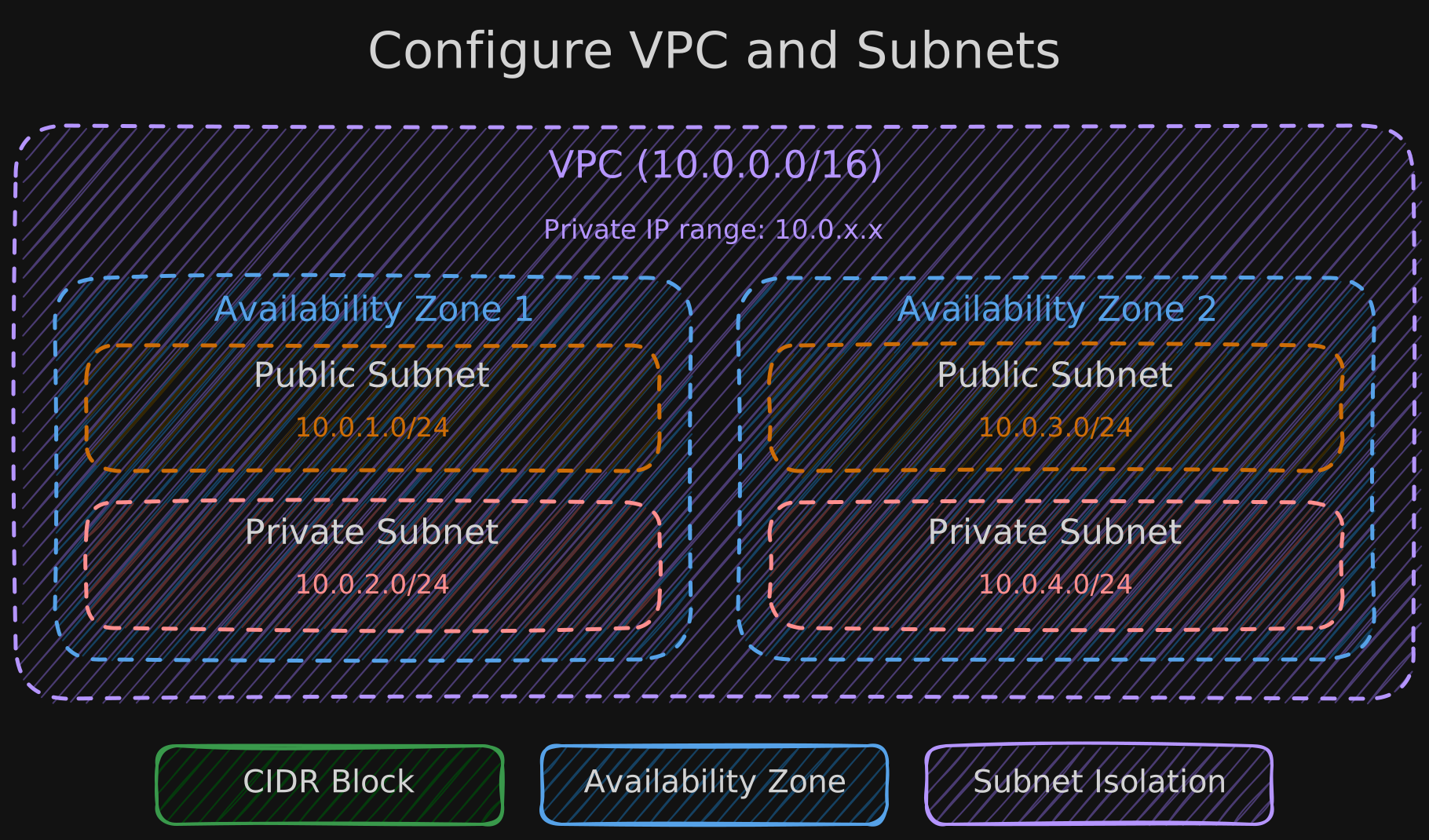
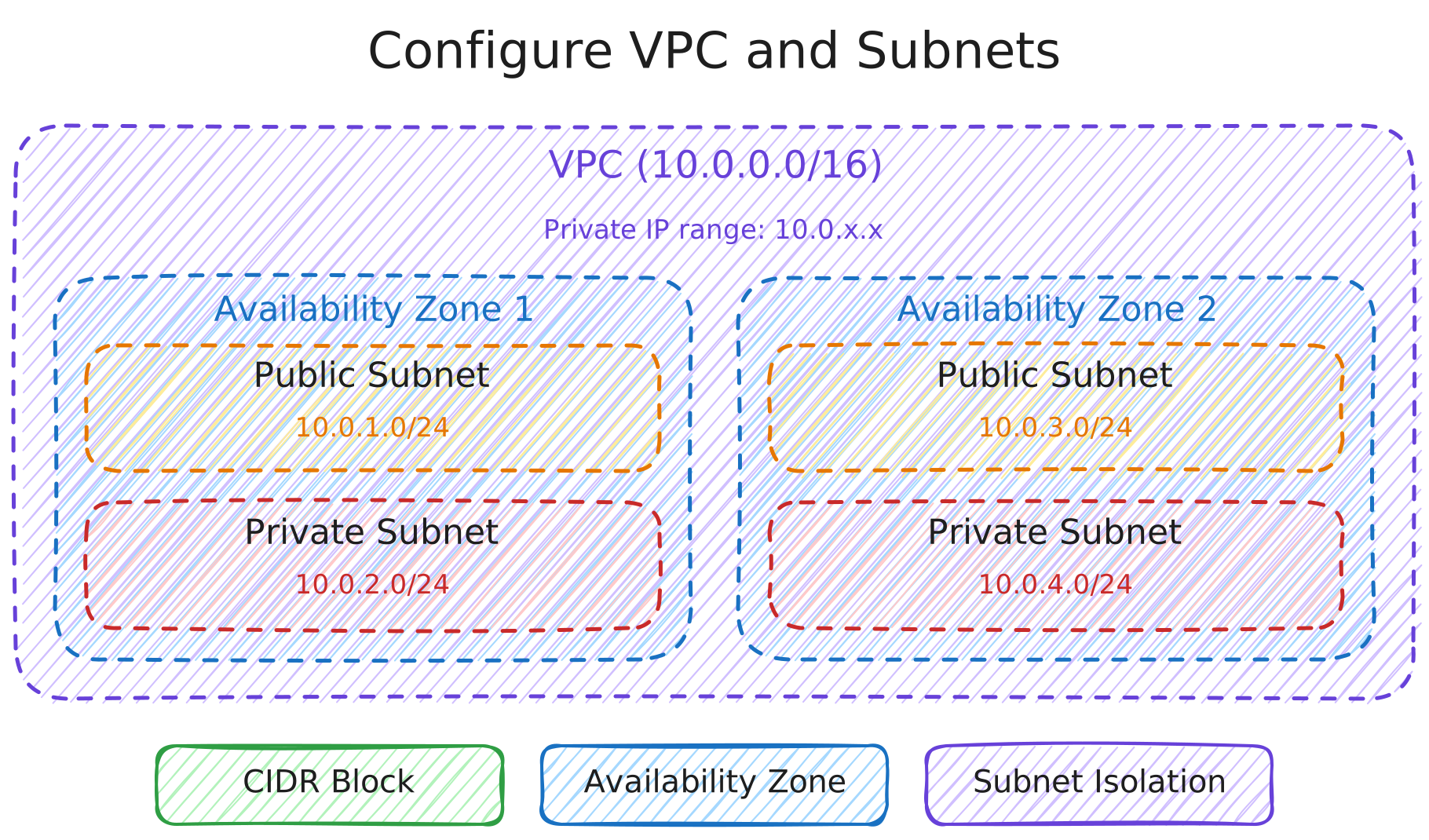
A VPC (Virtual Private Cloud) is a smaller network that spans multiple availability zones within a region, providing fine-grained control over resource access:
- Public subnet — for internet-facing resources.
- Private subnet — for internal resources.
- Each subnet can have its own security rules (Network ACLs) and routing configurations through internet gateways.
Data and resources are replicated across availability zones to ensure resilience if a data center goes down.
Region considerations:
- Legal compliance
- Latency (closer end users = lower latency)
- Availability (more availability zones = better disaster recovery)
- Cost
1.2.5 AWS Networking Overview - VPCs and Subnets
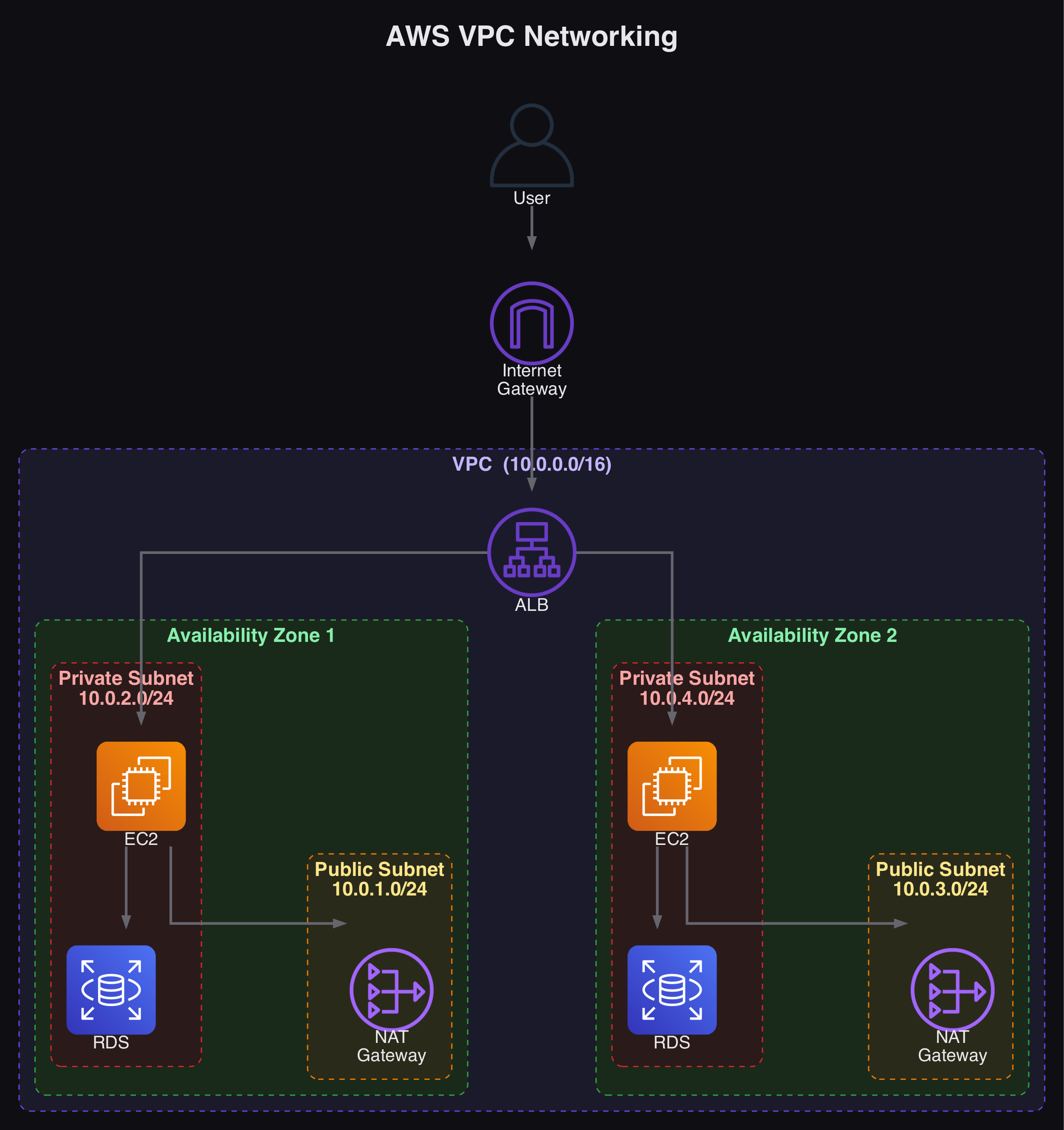
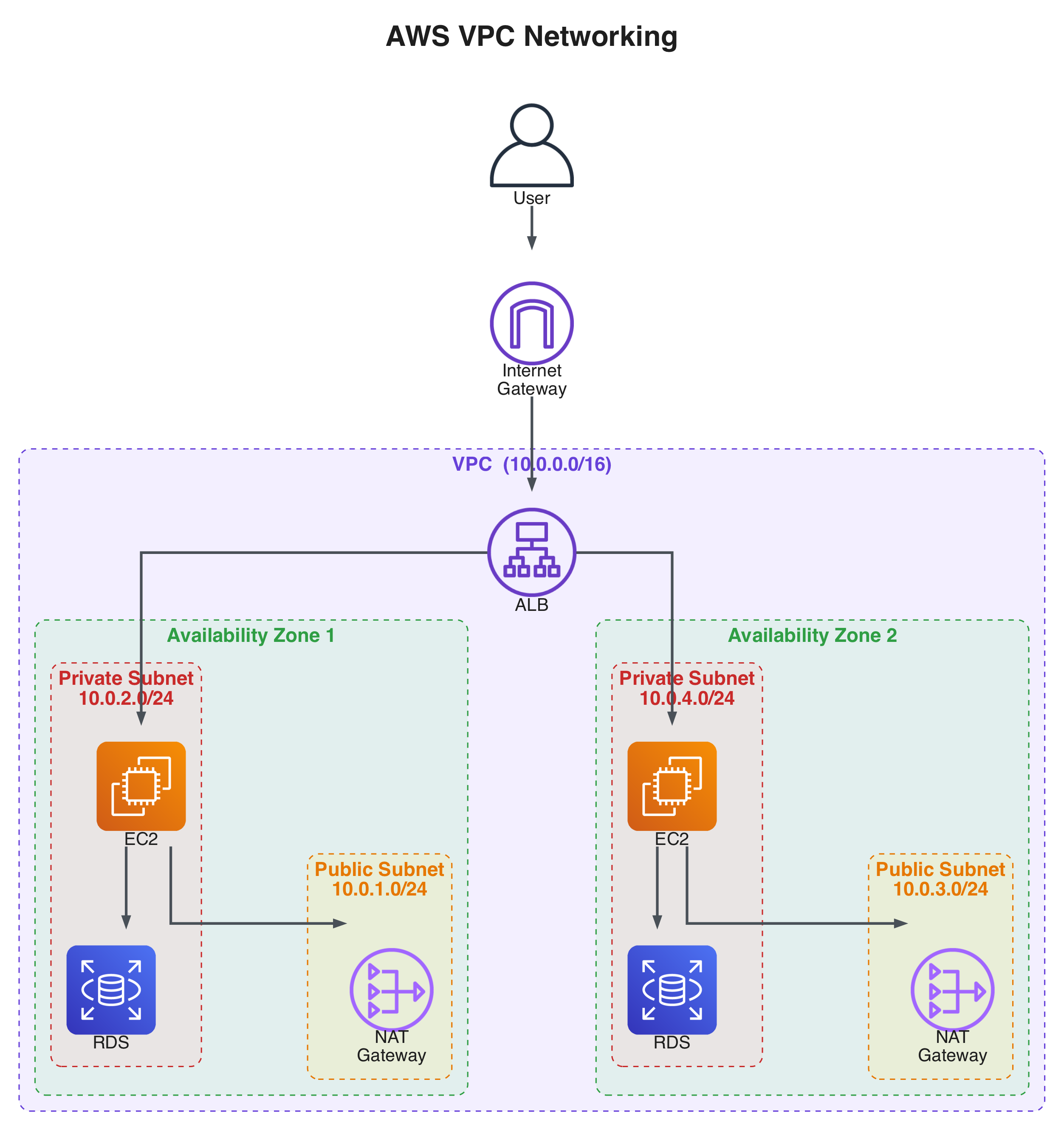
This section walks through building a complete networking setup for a web application running on EC2 that queries an RDS database.
Core networking concepts: Amazon VPCs, subnets, gateways, route tables, network ACLs, and security groups.
Configuring the VPC
A Default VPC exists in each region and can be used for experimentation, but should not be used for production workloads. To create a custom VPC: Console -> VPC -> Create VPC, then provide a name, private IP address range, and region.
IPv4 CIDR (Classless Inter-Domain Routing) defines the range of private IP addresses available within the VPC. For example, 10.0.0.0/16 means the first 16 bits (two octets) are the network portion, leaving the rest for host addresses. Any resource deployed into the VPC gets a private IP from this range.
Configuring Subnets
Each subnet is associated with a specific Availability Zone. In the VPC dashboard, create subnets and assign them CIDR blocks (e.g., 10.0.1.0/24 and 10.0.2.0/24 in different AZs). At this point, no subnets have internet access.
Configuring Internet Connectivity
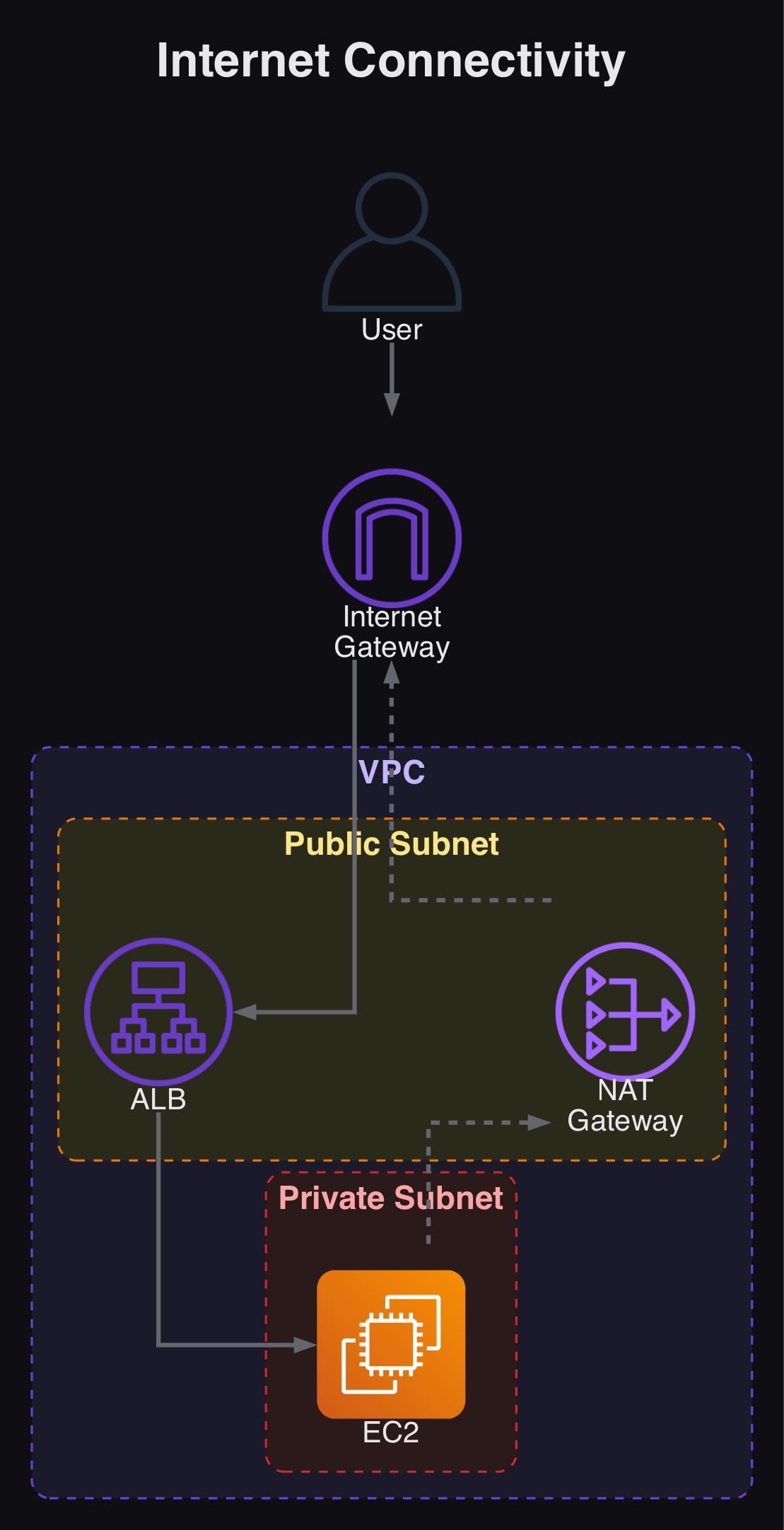
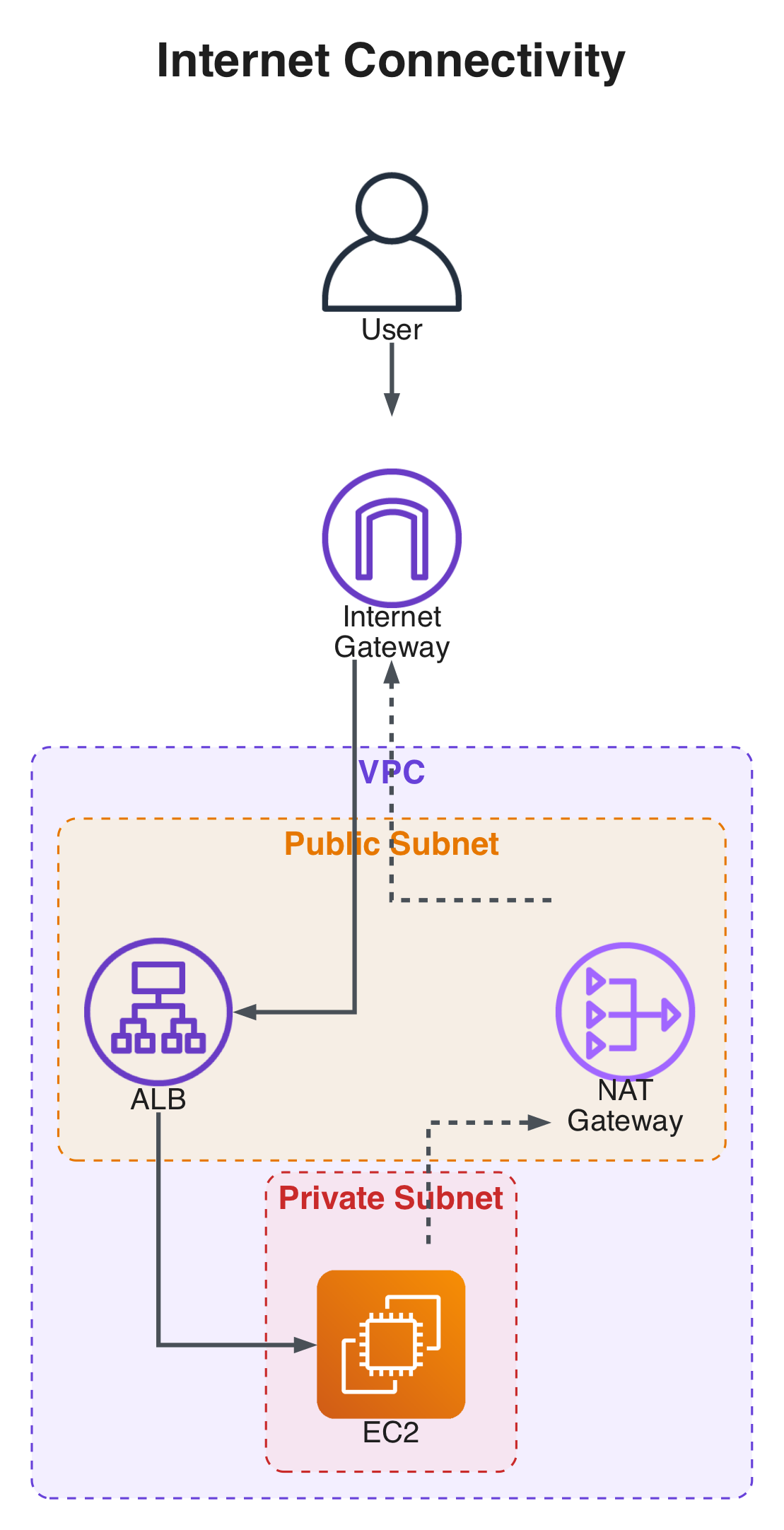
Three components enable internet access:
- Internet Gateway: Supports inbound and outbound traffic — the “door” to the outside internet from public subnets.
- NAT Gateway (Network Address Translation): Allows resources in a private subnet to reach the internet for outbound traffic only, without exposing them to inbound connections.
- ALB (Application Load Balancer): Distributes incoming traffic across multiple backend targets, keeping
EC2instances private while ensuring responsiveness and availability.
Configuring Route Tables
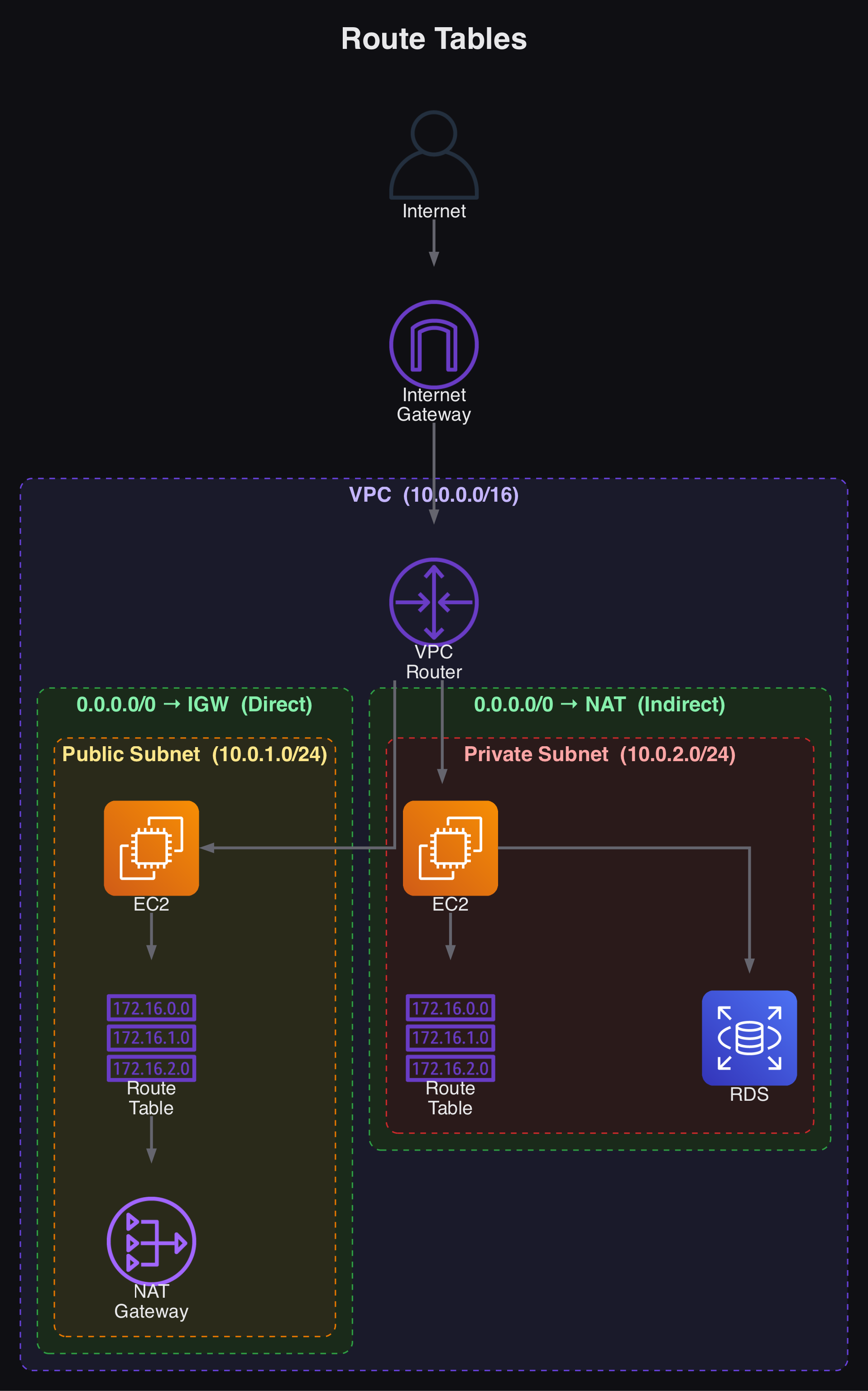
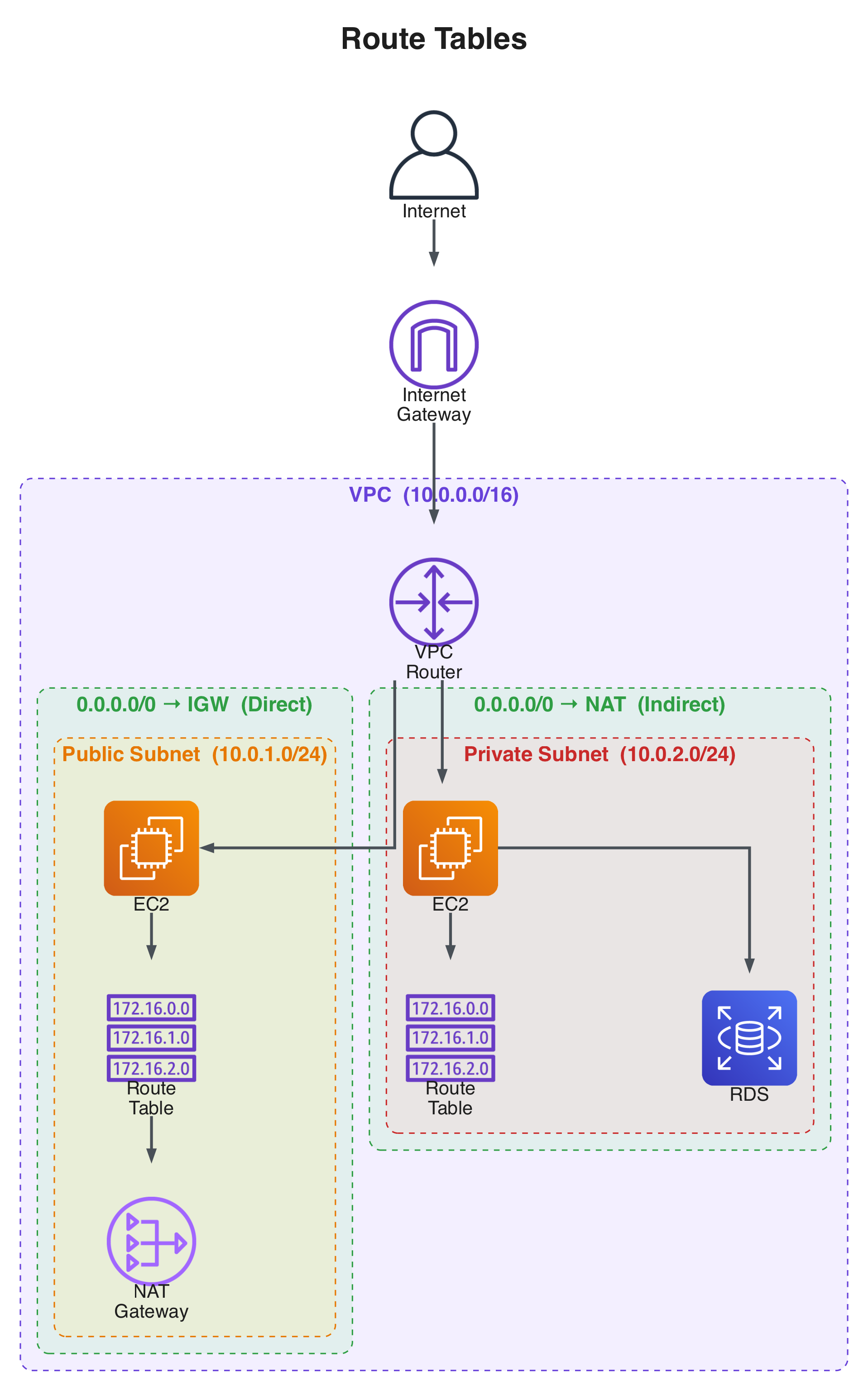
Route tables direct network traffic within your VPC. A default route table allows internal VPC communication but not internet access.
- Public subnets: Route internet-bound traffic (
0.0.0.0/0) to the internet gateway. - Private subnets: Route internet-bound traffic to the NAT gateway in the public subnet.
In practice, what makes a subnet public or private is its route table configuration.
Network Access Control Lists (ACLs) and Security Groups
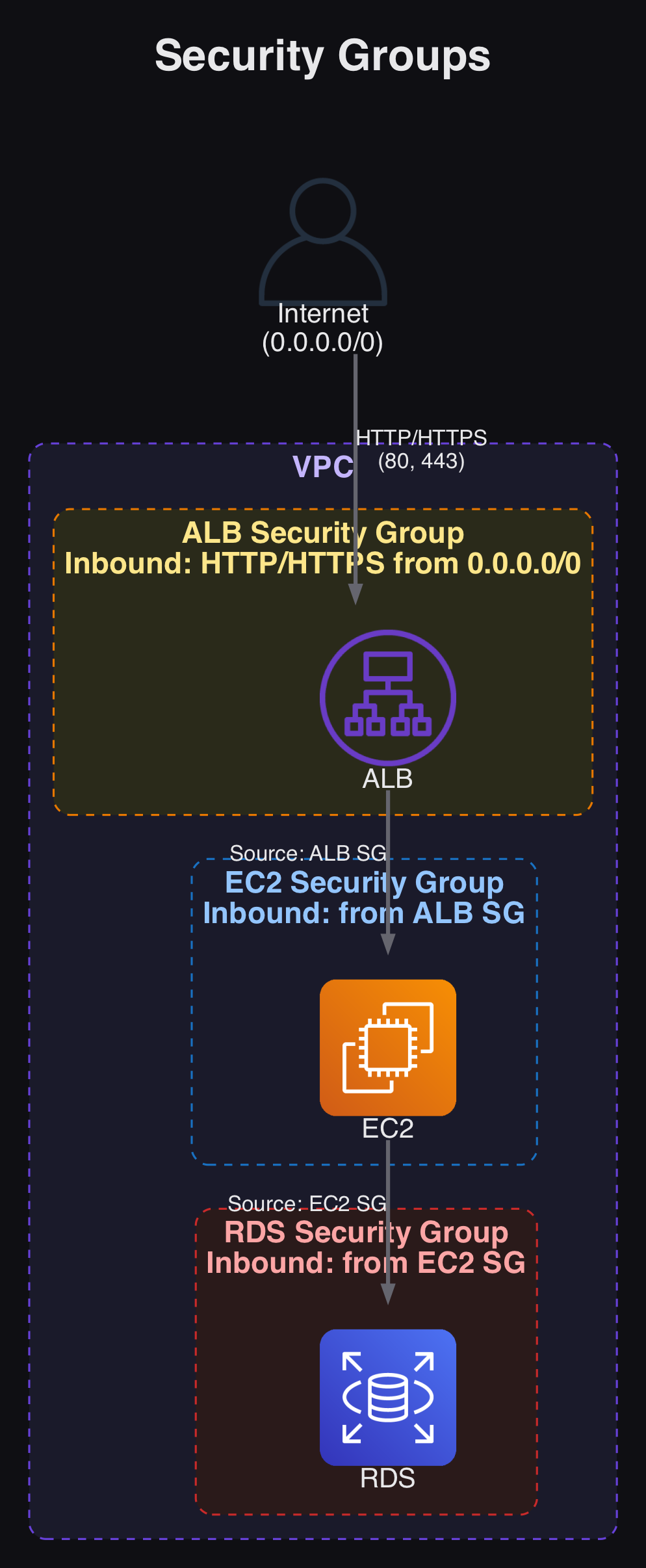
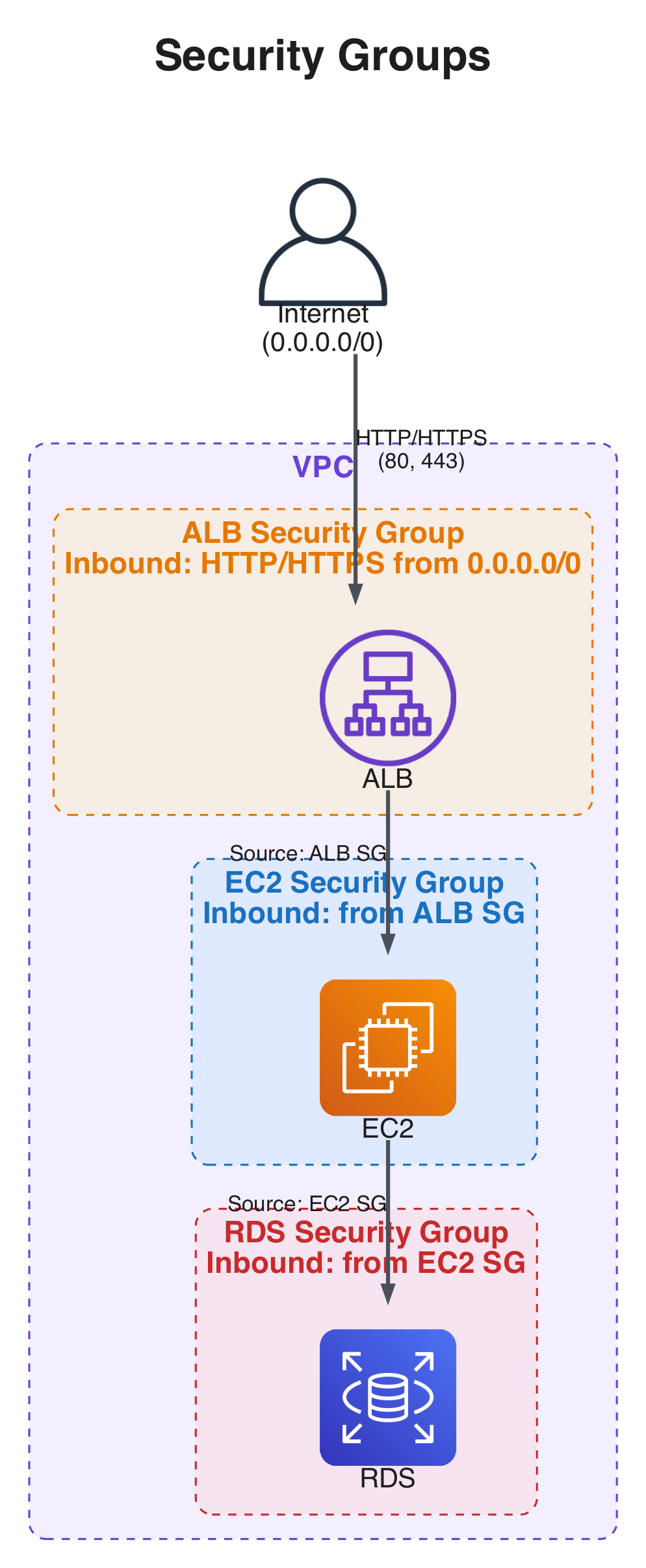
Security Groups are instance-level virtual firewalls controlling both inbound and outbound traffic. They are stateful — if inbound traffic is allowed, the return traffic is automatically permitted.
A typical security group chain looks like this:
- The ALB’s security group allows HTTP (port 80) and HTTPS (port 443) from the internet (
0.0.0.0/0). - The
EC2instance’s security group references the ALB’s security group as its source. - The
RDSinstance’s security group references theEC2security group as its source.
Network ACLs provide an additional security layer at the subnet level. They are stateless, requiring explicit inbound and outbound rules for more granular traffic control.
Summary of Networking on AWS:
VPCs and Subnets define a private network on AWS.- Route Tables direct traffic within the
VPCto the internet. - Public Subnets point to the internet gateway for internet access.
- Private Subnets route through the NAT gateway for secure outbound connections.
- Security Groups act as stateful virtual firewalls at the instance level.
- Network ACLs provide stateless security at the subnet level with explicit inbound/outbound rules.
If you encounter connectivity issues:
- Verify that your
VPChas an internet gateway properly attached - Verify that the route tables have appropriate rules to direct traffic correctly
- Verify that the route table associations with the subnets are configured correctly
- Check security groups to make sure they have the needed rules in place
- Review network ACLs to confirm they allow the necessary traffic
- Double-check instance configurations to ensure they are associated with the correct security groups and subnets