3.4 Streaming Queries
3.4.1 Streaming Query Patterns
When data arrives continuously, query patterns must reflect that real-time nature. Frameworks like Apache Flink, Spark Streaming, and Kafka enable SQL queries over streaming data, typically using windowing techniques to bound the otherwise infinite stream.
Windowing Techniques
| Window Type | Behavior | Use Case |
|---|---|---|
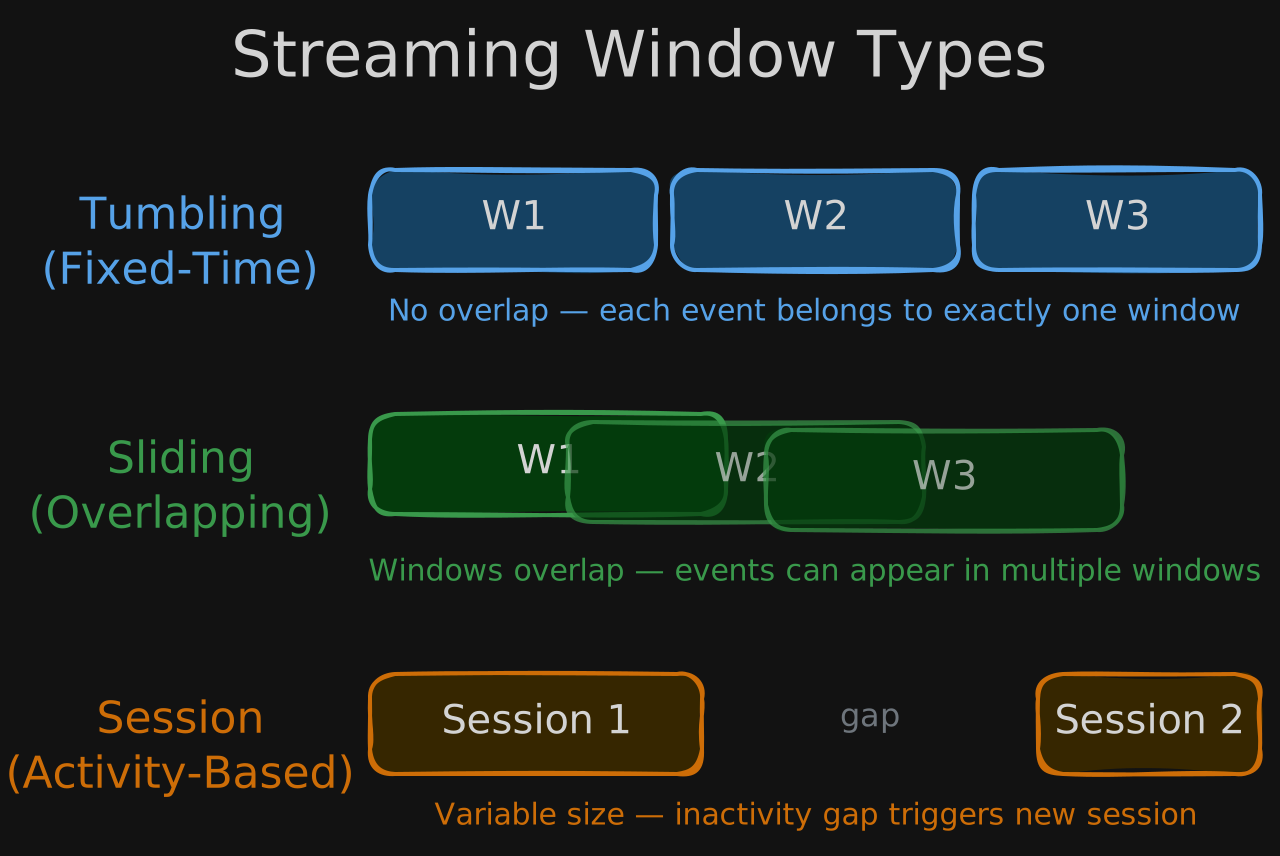
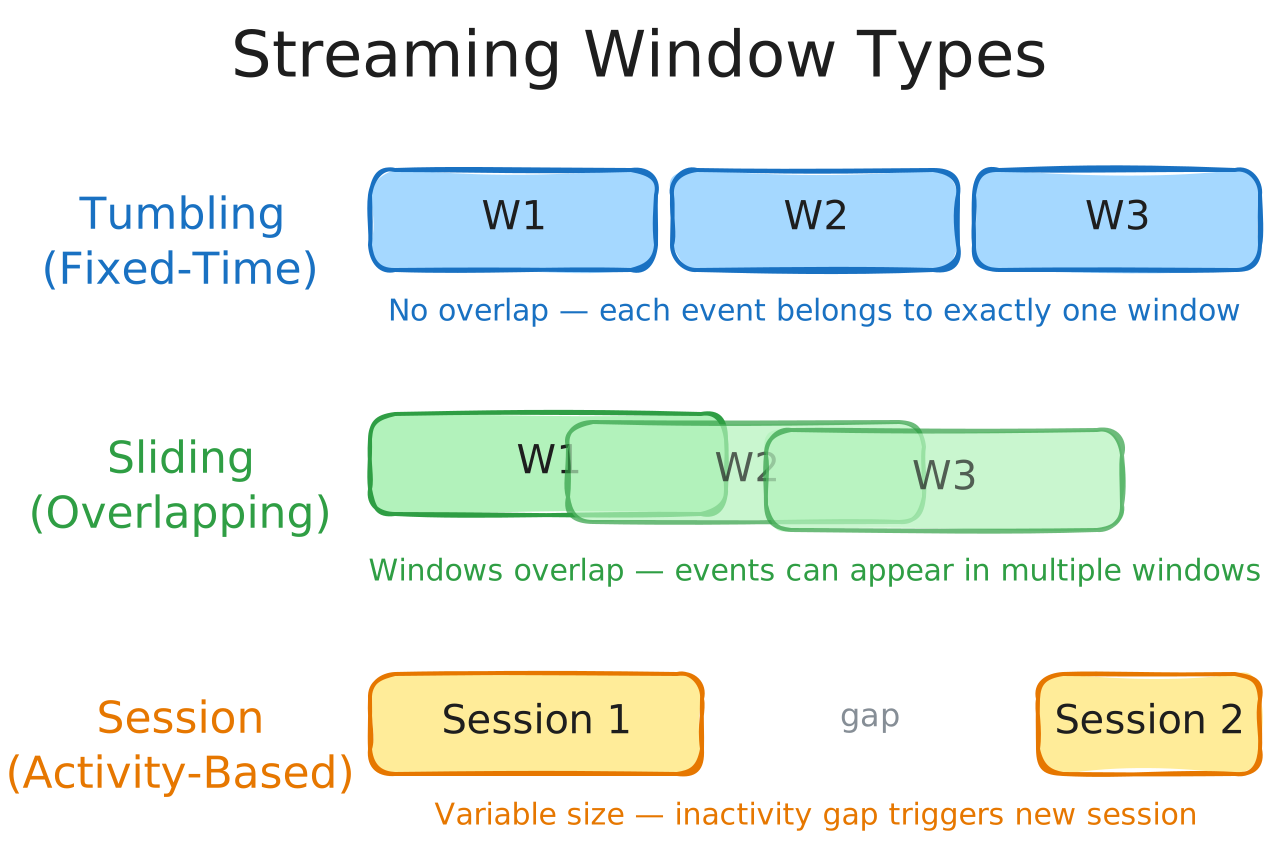
| Tumbling (fixed-time) | Non-overlapping windows of equal duration. Each event belongs to exactly one window. | Regular aggregations - e.g., count events per minute |
| Sliding | Overlapping windows that advance by a fixed step smaller than the window size. Events can appear in multiple windows. | Moving averages - e.g., 5-minute average computed every 1 minute |
| Session | Variable-size windows grouped by activity. An inactivity gap triggers a new session. | User behavior analysis - e.g., web session tracking |
Joining Data Streams
Streaming joins combine records from two or more streams based on matching keys within a time window. For example, joining a clickstream with a purchase stream to correlate user behavior with transactions within a 30-minute window.
3.4.2 Deploying with Amazon Managed Service for Apache Flink
AWS provides a fully managed service for running Apache Flink applications, handling infrastructure provisioning, scaling, and fault tolerance so you can focus on writing streaming logic.
| Feature | Description |
|---|---|
| Managed infrastructure | No servers to provision - AWS handles cluster sizing, patching, and scaling |
| Automatic scaling | Adjusts parallelism based on incoming data throughput |
| Fault tolerance | Built-in checkpointing and state recovery - processing resumes from the last checkpoint after failures |
| Integration | Reads from Kinesis Data Streams, Amazon MSK (Kafka), and S3; writes to S3, Redshift, OpenSearch, and more |
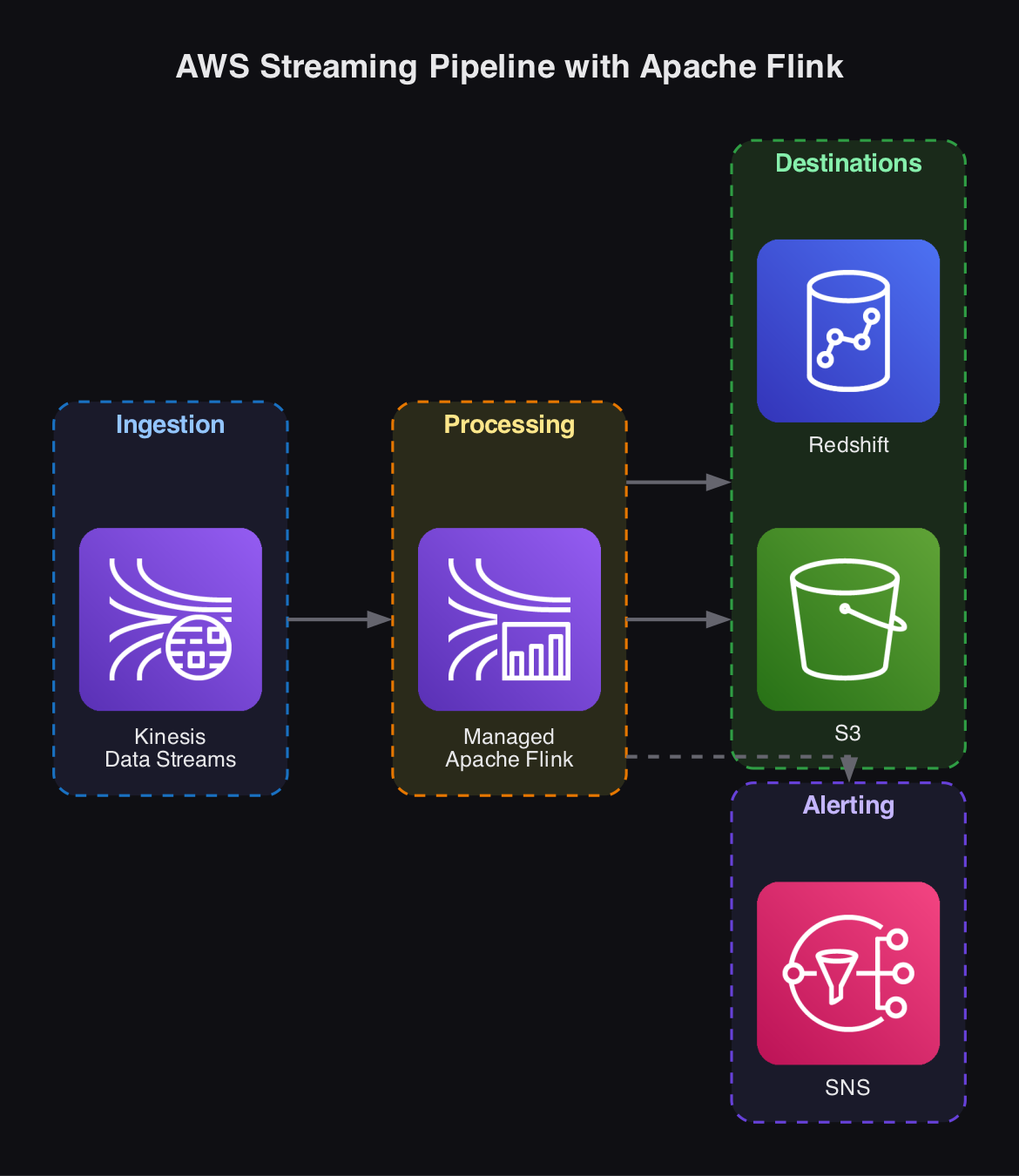
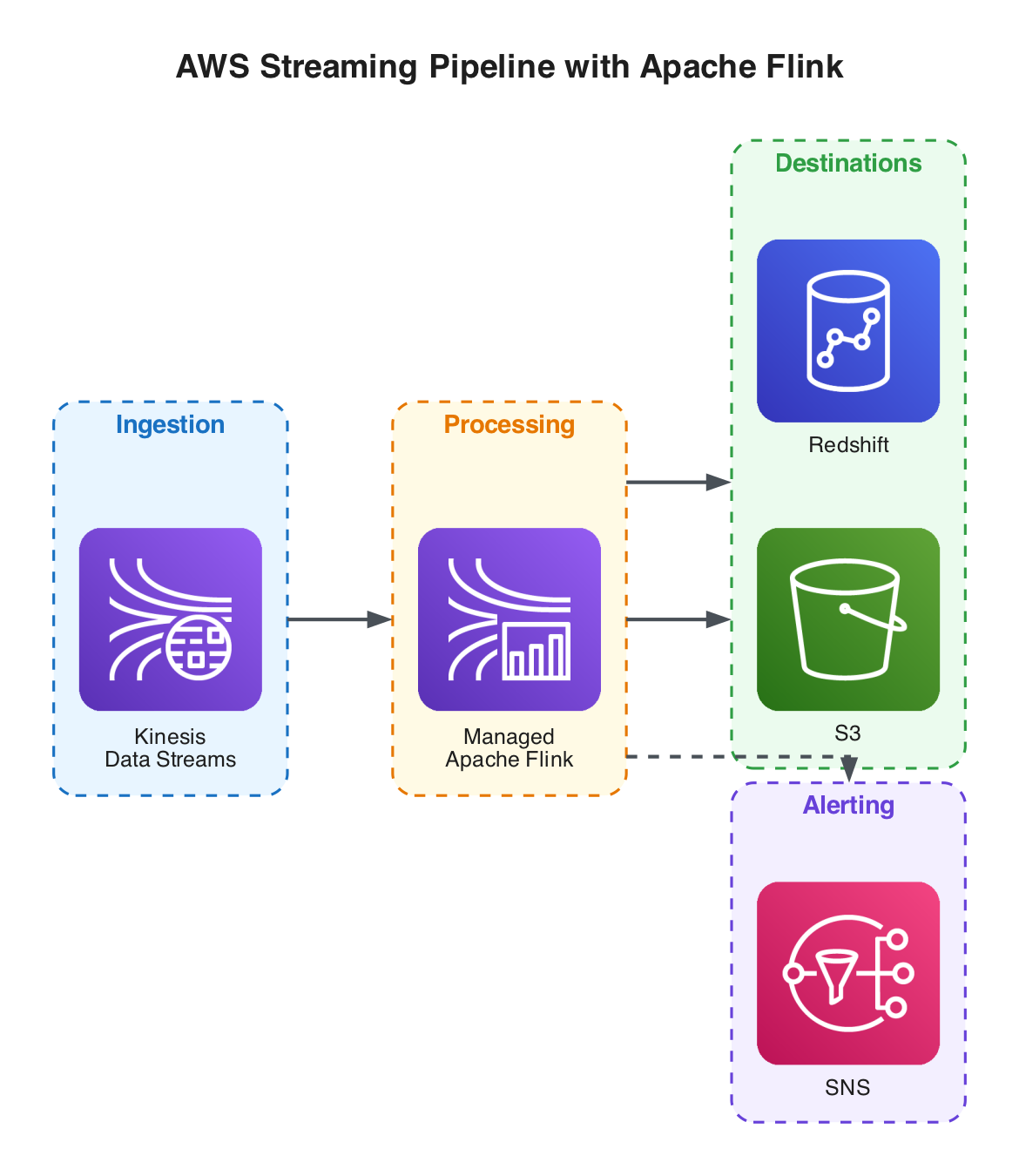
A typical deployment: Kinesis Data Streams ingests real-time events, Managed Apache Flink processes and transforms the stream using SQL or Java/Python applications, and results are written to S3 or Redshift for downstream analytics.
3.4.3 Watermarks and Late-Arriving Data
In real-world streaming systems, events rarely arrive in perfect order. Network delays, device buffering, and retries mean an event with event time 10:00:05 might arrive at the processing engine at 10:00:45 - or even minutes later. Watermarks are the mechanism streaming frameworks use to reason about this disorder.
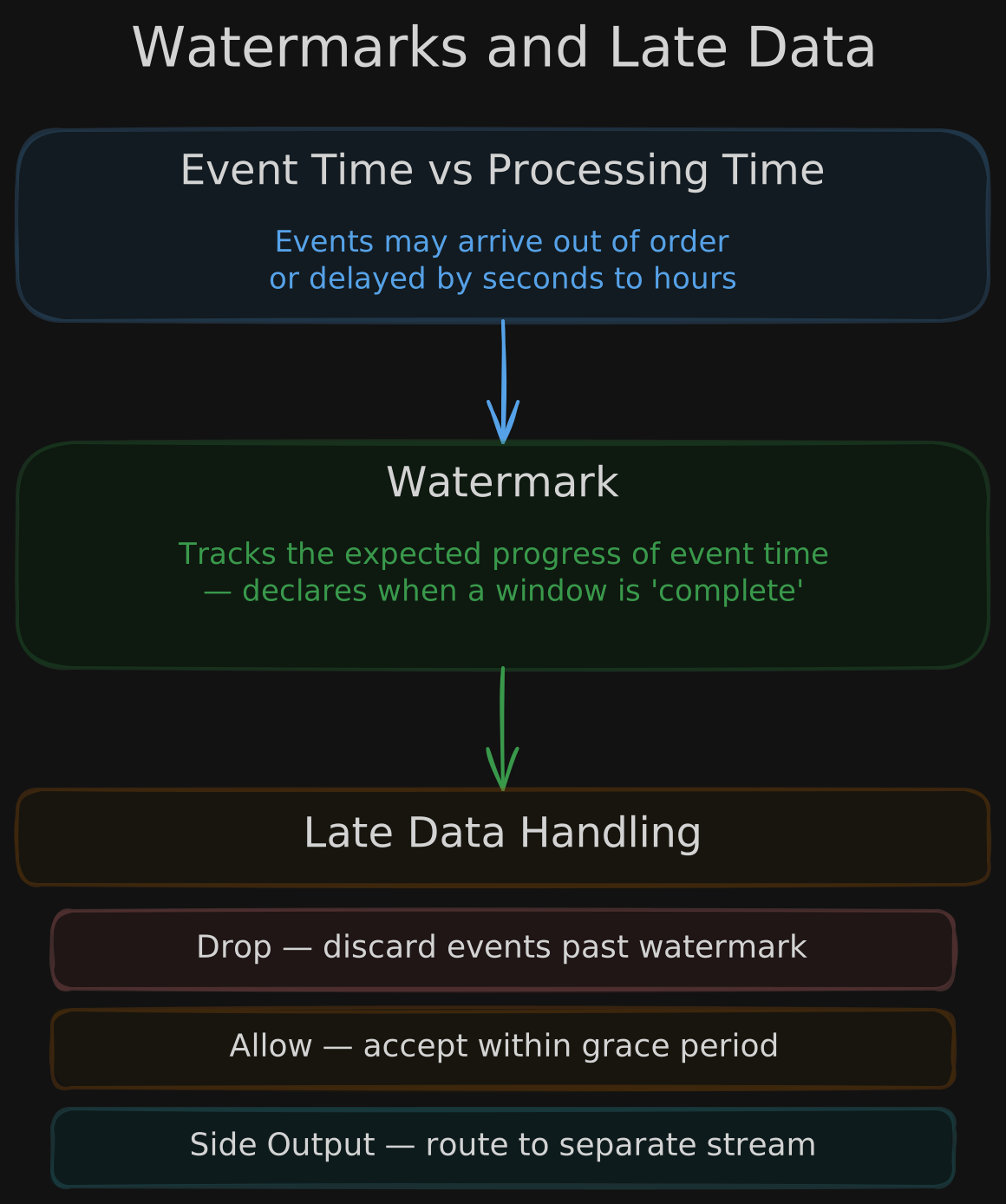
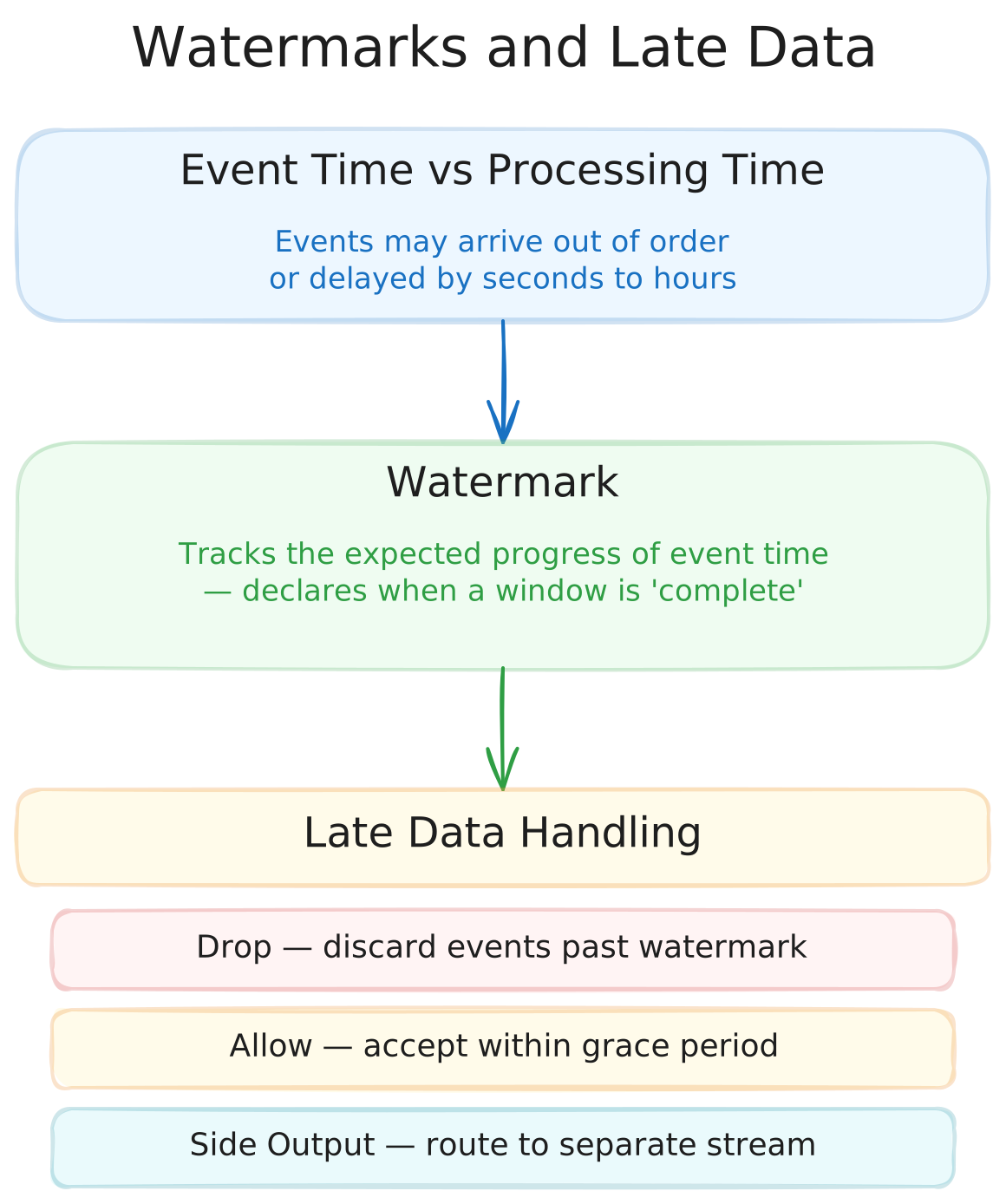
Event Time vs. Processing Time
Every streaming event has two timestamps: the event time (when it actually occurred at the source) and the processing time (when the engine received it). Correct analytical results require aggregating by event time, but the engine only sees events in processing-time order. This gap is the core challenge watermarks solve.
How Watermarks Work
A watermark is a declaration by the streaming engine that it believes all events with an event time up to a certain point have arrived. When a watermark advances past the end of a window, the engine considers that window complete and emits its result.
Watermarks are typically set as a fixed offset from the latest observed event time. For example, a watermark of “10 seconds” means the engine waits 10 seconds of event-time progress before closing a window, allowing for that much lateness.
Handling Late Data
Events that arrive after their window’s watermark has passed are considered late. Frameworks provide three strategies for handling them:
| Strategy | Behavior | Use Case |
|---|---|---|
| Drop | Discard the late event entirely | Acceptable when occasional data loss is tolerable (e.g., click analytics) |
| Allowed lateness | Accept late events within a grace period and update the window result | When correctness matters but unbounded waiting is impractical |
| Side output | Route late events to a separate stream for manual inspection or reprocessing | When no data should be silently lost (e.g., financial transactions) |