1.1 Introduction to Source Systems
1.1.1 Different Types of Source Systems
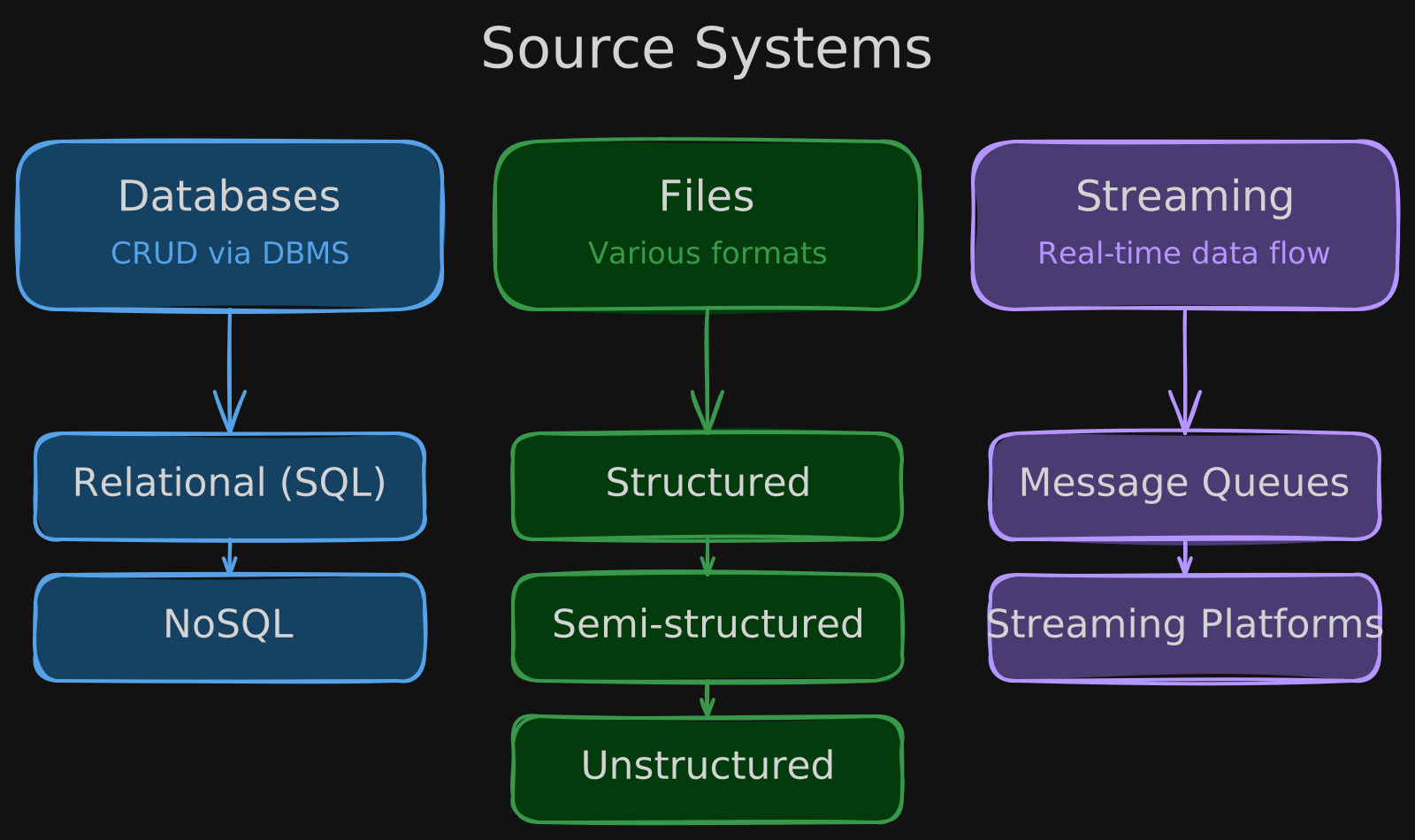
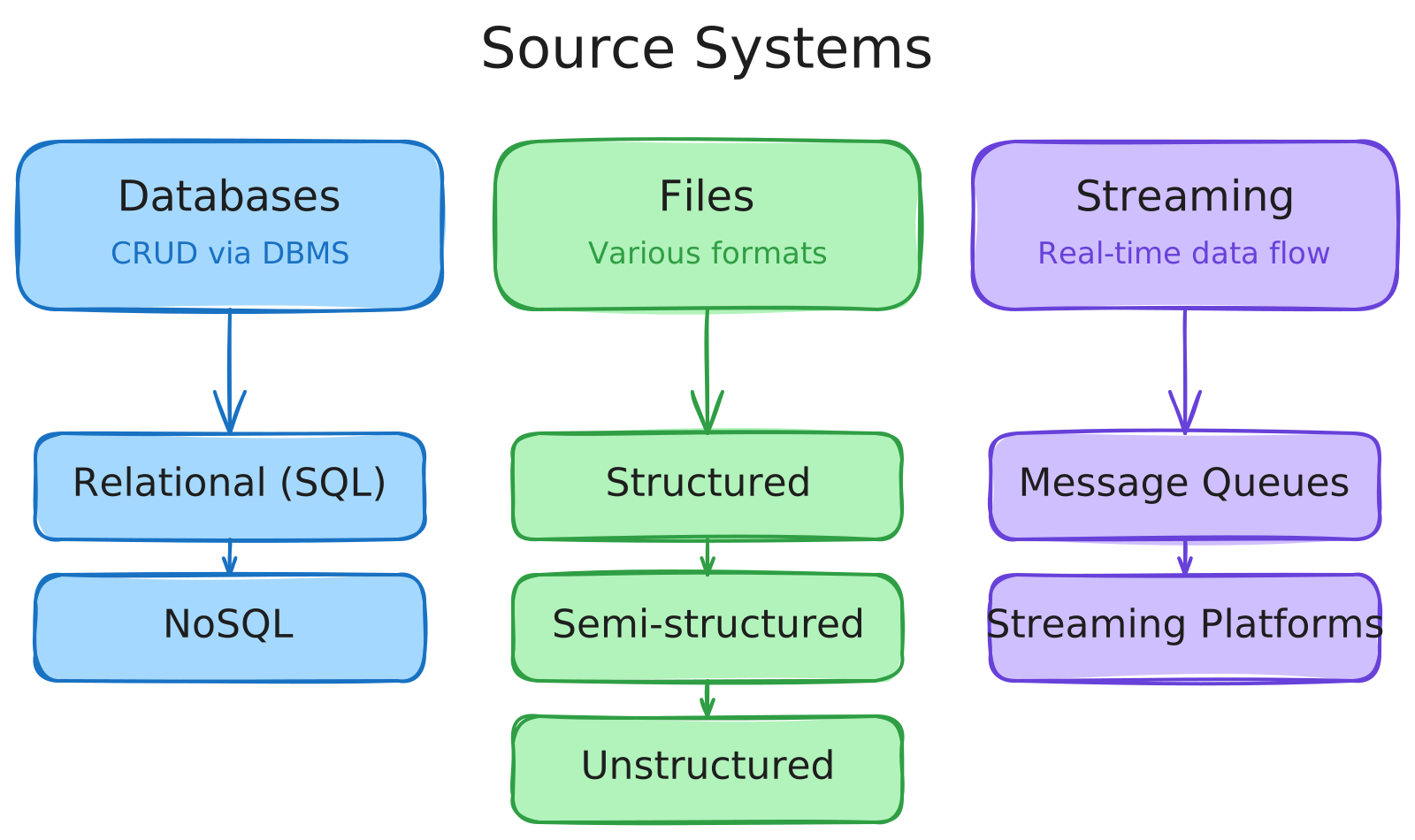
Before building any data pipeline, you need to understand the landscape of source systems you’ll be pulling from. Data comes in three fundamental shapes:
Types of Data
- Structured Data: Organized in a table format (e.g., relational databases).
- Semi-Structured Data: Has some structure but is not tabular (e.g., JSON). May include nesting.
- Unstructured Data: Lacks predefined structure (e.g., images, videos, audio files).
Data Sources
Source systems generally fall into three categories, each with distinct access patterns and tooling requirements.
- Databases store data in an organized way, following a transactional pattern (
CRUD: Create, Read, Update, Delete). You interact with them through Database Management Systems (DBMS). They come in two flavors:- Relational Databases (tables with rows and columns).
- Non-Relational Databases (NoSQL) (e.g., document stores, key-value stores).
- Files span formats like
.txt, .png, .mp3, .mp4, .csvand can be structured (spreadsheets), semi-structured (JSON), or unstructured (audio, video, images). - Streaming Systems provide a continuous flow of data from producers to consumers, powered by message queues or streaming platforms like
Amazon KinesisandKafka.
1.1.2 Relational Databases
Relational databases remain the backbone of most transactional systems. Understanding their structure is essential for any data engineer working with source systems.
Structure & Advantages
Relational databases are comprised of multiple tables, reducing redundancy and improving data management. The alternative — a One Big Table (OBT) Approach — stores everything in a single table for faster processing but leads to data duplication and potential inconsistencies.
Database Schema & Keys
- Schema: Defines how tables are organized and related.
PRIMARY KEY: Unique identifier for each row.FOREIGN KEY: References a primary key from another table.- Columns: Have names and data types (part of the schema).
Data Normalization organizes data into separate tables to minimize redundancy and ensure integrity.
Relational Database Management Systems (RDBMS)
Popular systems include MySQL, PostgreSQL, SQL Server, and Oracle Database. All are interacted with using SQL for cleaning, joining, aggregation, and filtering.
1.1.3 SQL Queries
SQL is the universal language for querying relational databases. Here are the core commands every data engineer uses daily.
Common SQL Commands
SELECT: Retrieves data (e.g.,SELECT *returns all rows/columns).FROM: Specifies the table.JOIN: Combines data from multiple tables based on common keys.- Inner Join: Returns only matching rows.
- Left/Right Join: Includes all rows from one table, with missing values from the other.
- Full Join: Returns all rows from both tables.
WHERE: Filters data based on conditions.GROUP BY: Groups data and applies aggregate functions (e.g.,COUNT(*)).ORDER BY: Sorts data (addDESCfor descending order).LIMIT: Restricts the number of rows returned.
Other Commands for Data Manipulation
CREATE: Defines a new table.DELETE: Removes records.INSERT INTO: Adds new records.UPDATE: Modifies existing records.
1.1.4 NoSQL Databases
NoSQL databases trade the rigid structure of relational systems for flexibility and horizontal scalability, making them a common source system in modern architectures.
Characteristics
- Supports SQL or SQL-like queries.
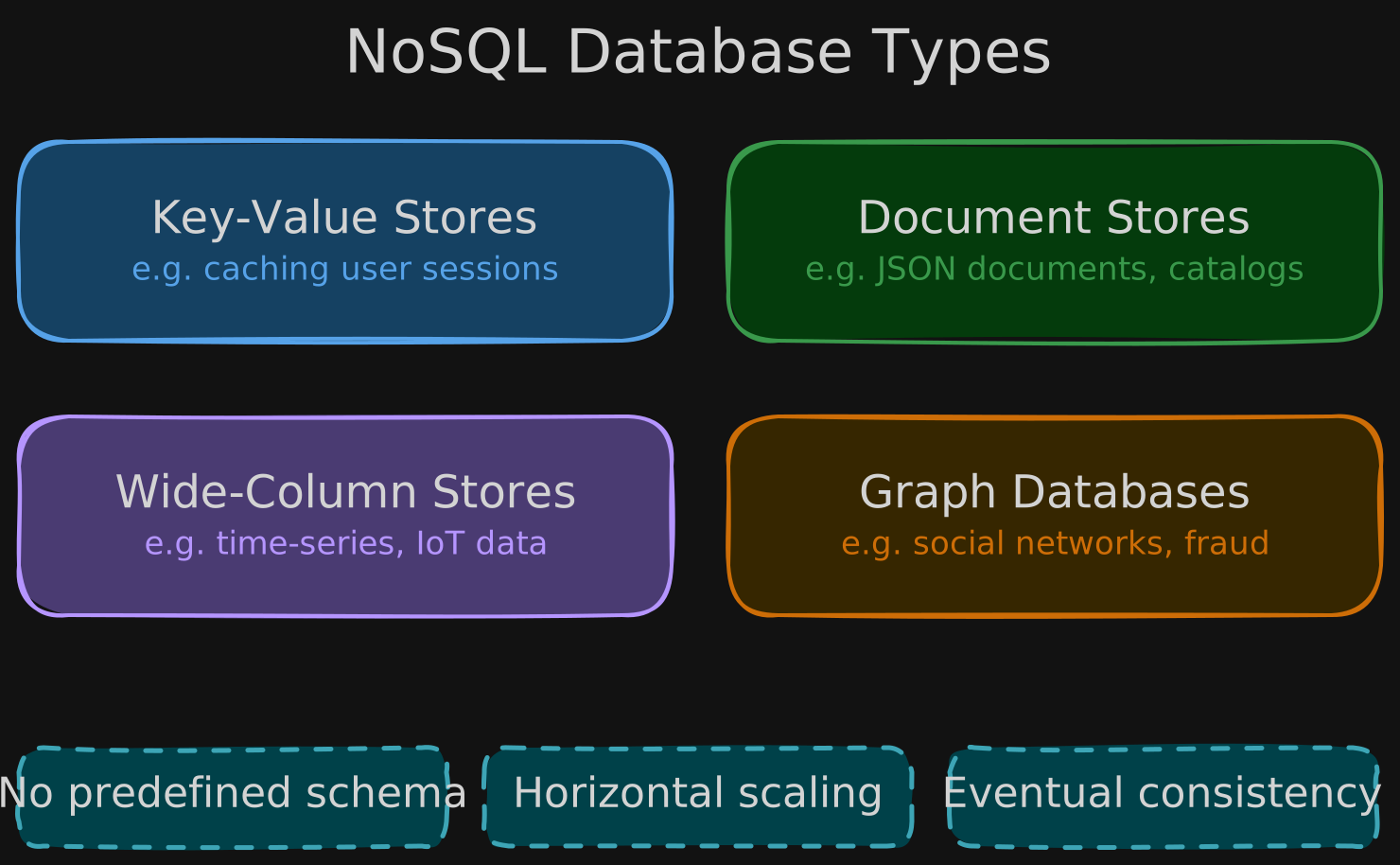
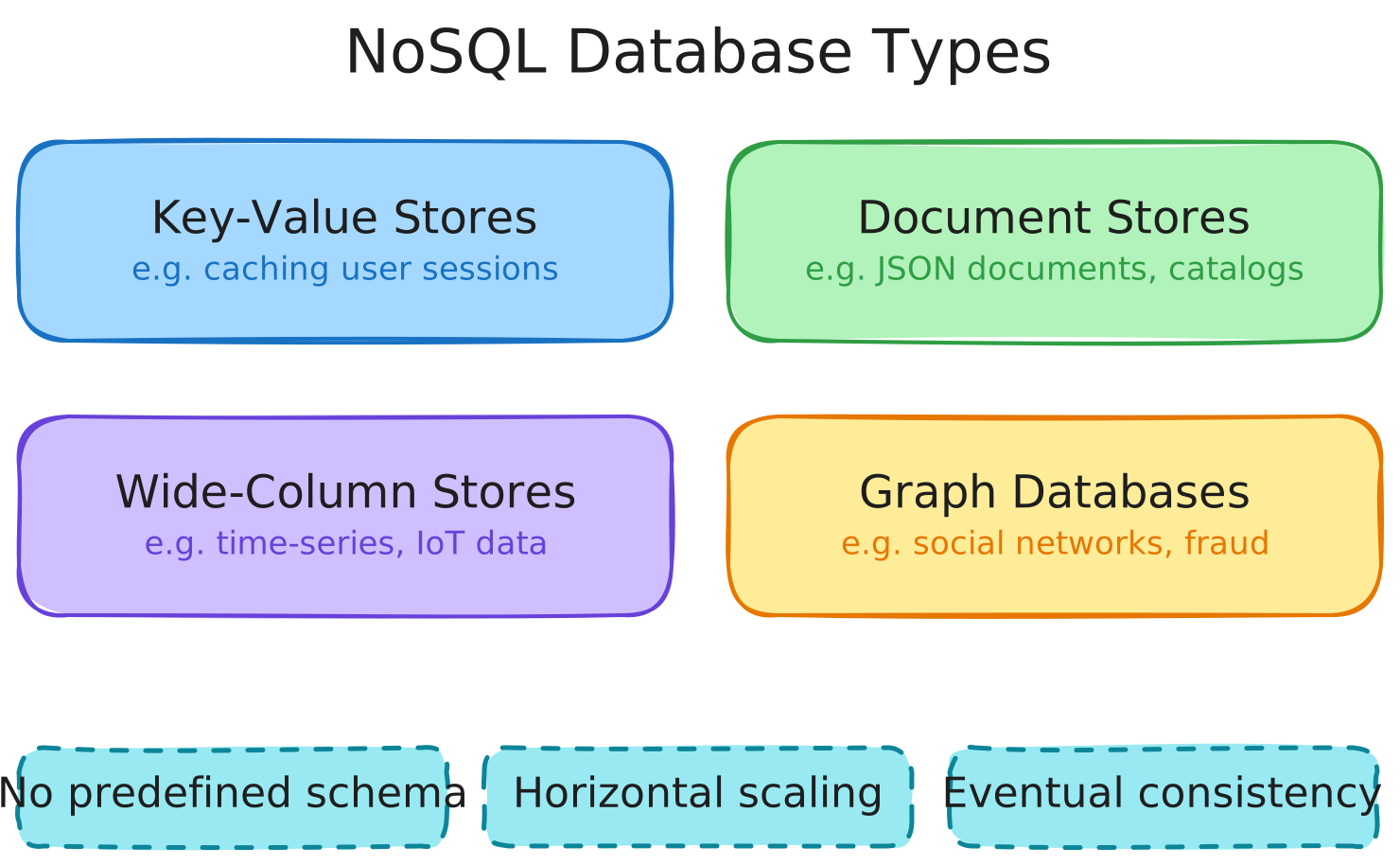
- Uses non-tabular structures: Key-Value Stores, Document Stores, Wide-Column Stores, and Graph Databases.
- No predefined schemas, offering more flexibility.
- Horizontal Scaling: Distributes data across multiple servers.
- Eventual Consistency: Updates propagate over time rather than instantly.
Comparison with Relational Databases
- Eventual Consistency (NoSQL) prioritizes speed and scalability.
- Strong Consistency (Relational) ensures all nodes have updated data before reading.
ACIDCompliance: Some NoSQL databases (e.g.,MongoDB) support it.
Common NoSQL Models
- Key-Value Databases (e.g., caching user session data).
- Document Databases (e.g., storing JSON documents for content management, catalogs, sensor readings).
1.1.5 Database ACID Compliance
ACID compliance is what separates databases you can trust for transactions from those better suited for other workloads.
OLTP Systems (Online Transaction Processing)
- Relational Databases:
ACIDCompliant. - NoSQL Databases: Not all are
ACIDcompliant.
ACID Principles
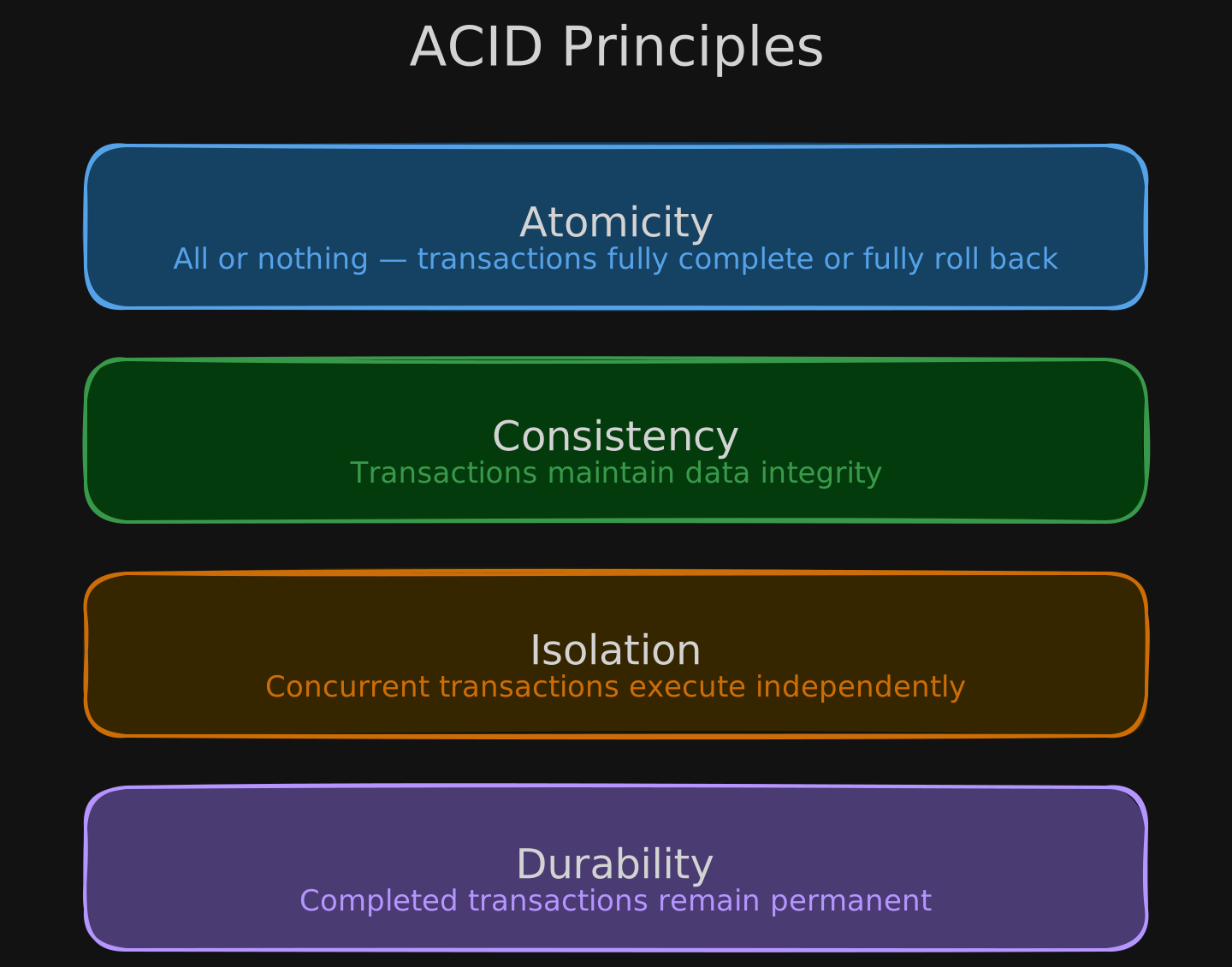
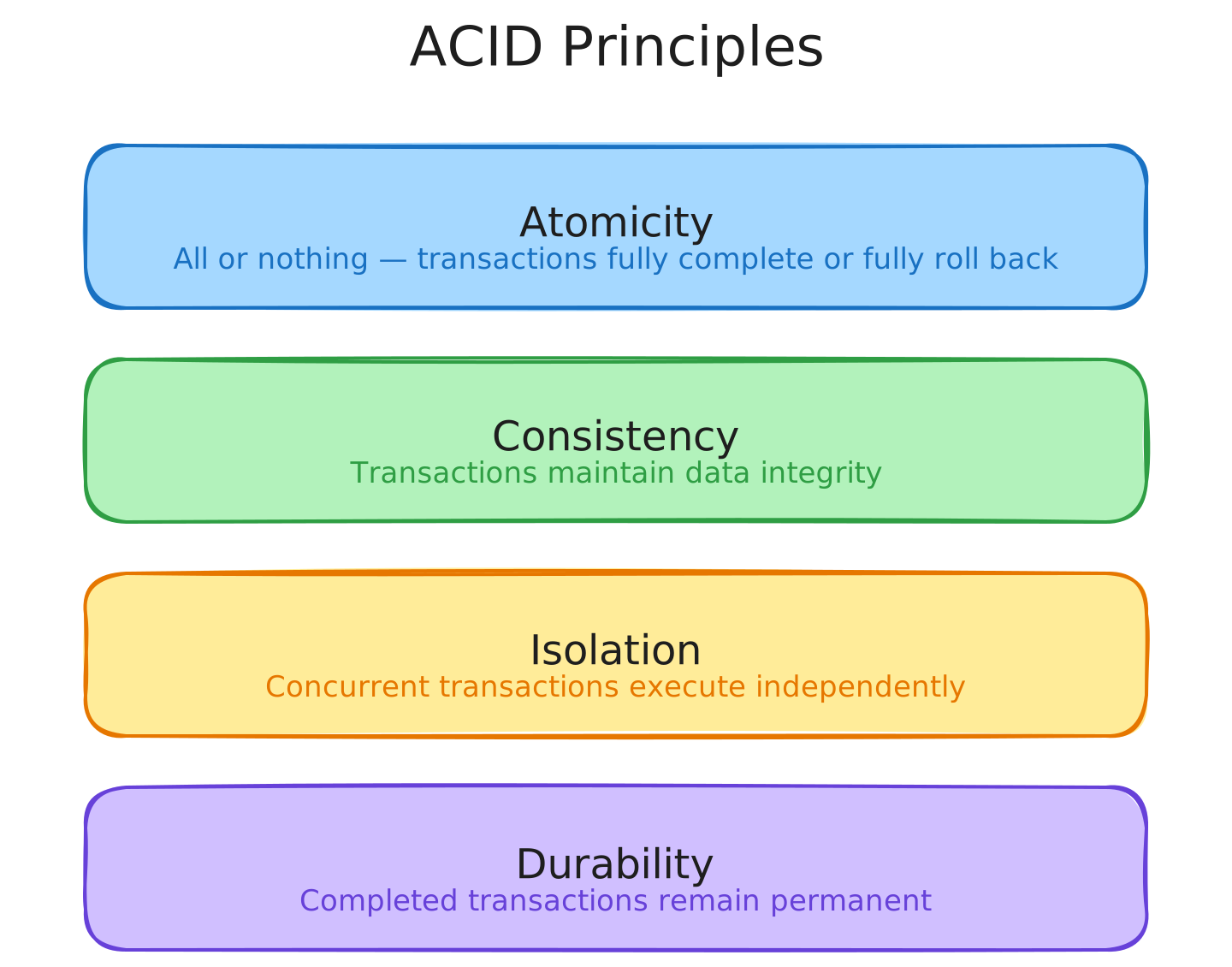
- Atomicity: All or nothing — a banking transfer either fully completes or fully rolls back.
- Consistency: Transactions maintain data integrity (e.g., inventory stock must be >= 0).
- Isolation: Concurrent transactions execute independently without interfering.
- Durability: Completed transactions remain permanent despite system failures.
These principles ensure database reliability and a consistent view of data.
1.1.6 Lab - Interacting with Amazon DynamoDB (NoSQL Database)
DynamoDB is AWS’s fully managed NoSQL offering. This lab covers its core data model and how to interact with it programmatically.
Key Features
- Key-Value Model
- Schema-less: Each item can have distinct attributes.
- Primary Keys:
- Partition Key (single key).
- Composite Key (Partition Key + Sort Key).
- Nested Attributes
- Data Types: String (S), Number (N), List (L), Boolean (BOOL).
Boto3 is the Python package for interacting with AWS services, including DynamoDB.
1.1.7 Object Storage
Object storage has become the default landing zone for data lakes and modern data architectures, thanks to its scalability and cost profile.
Concept
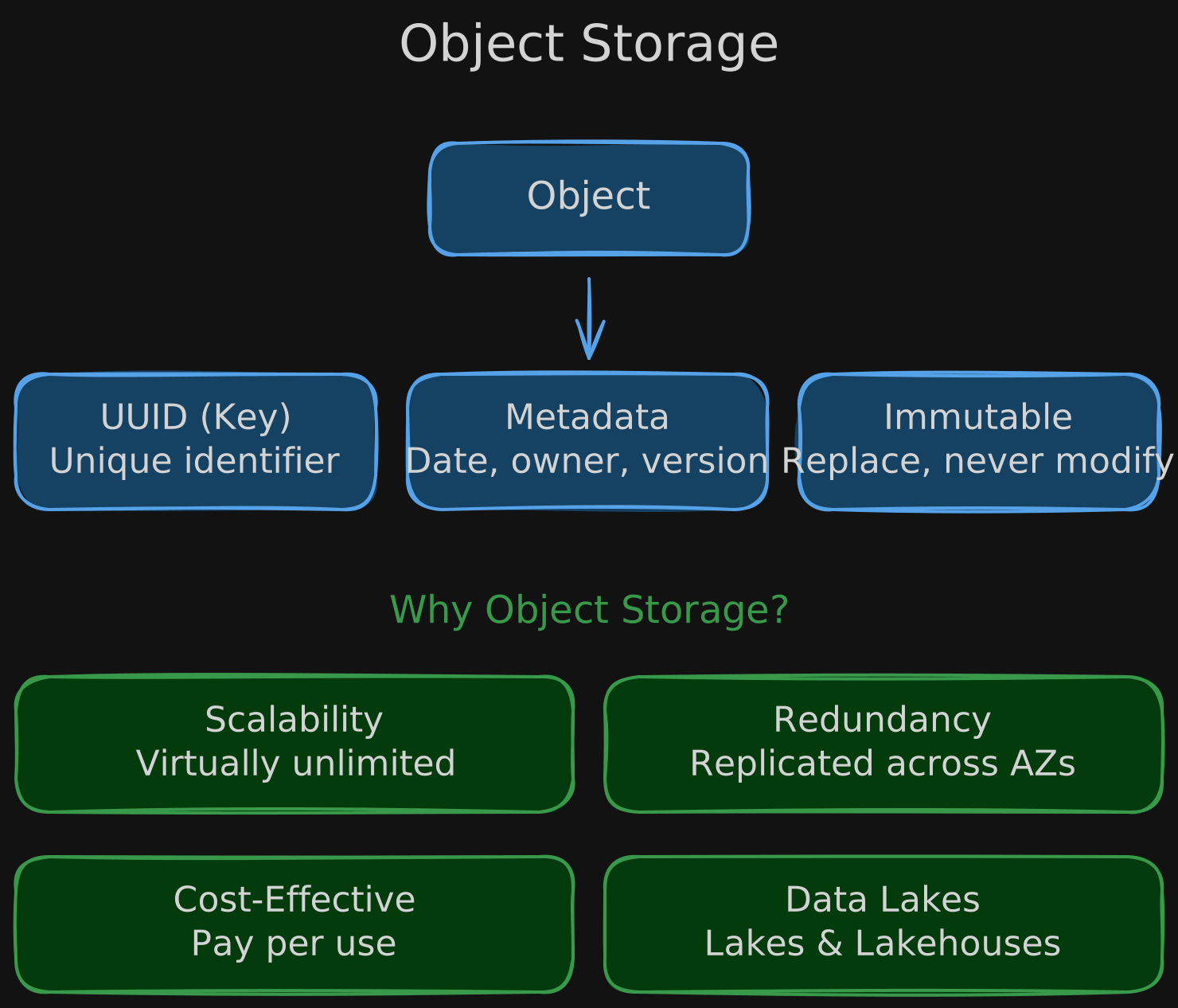
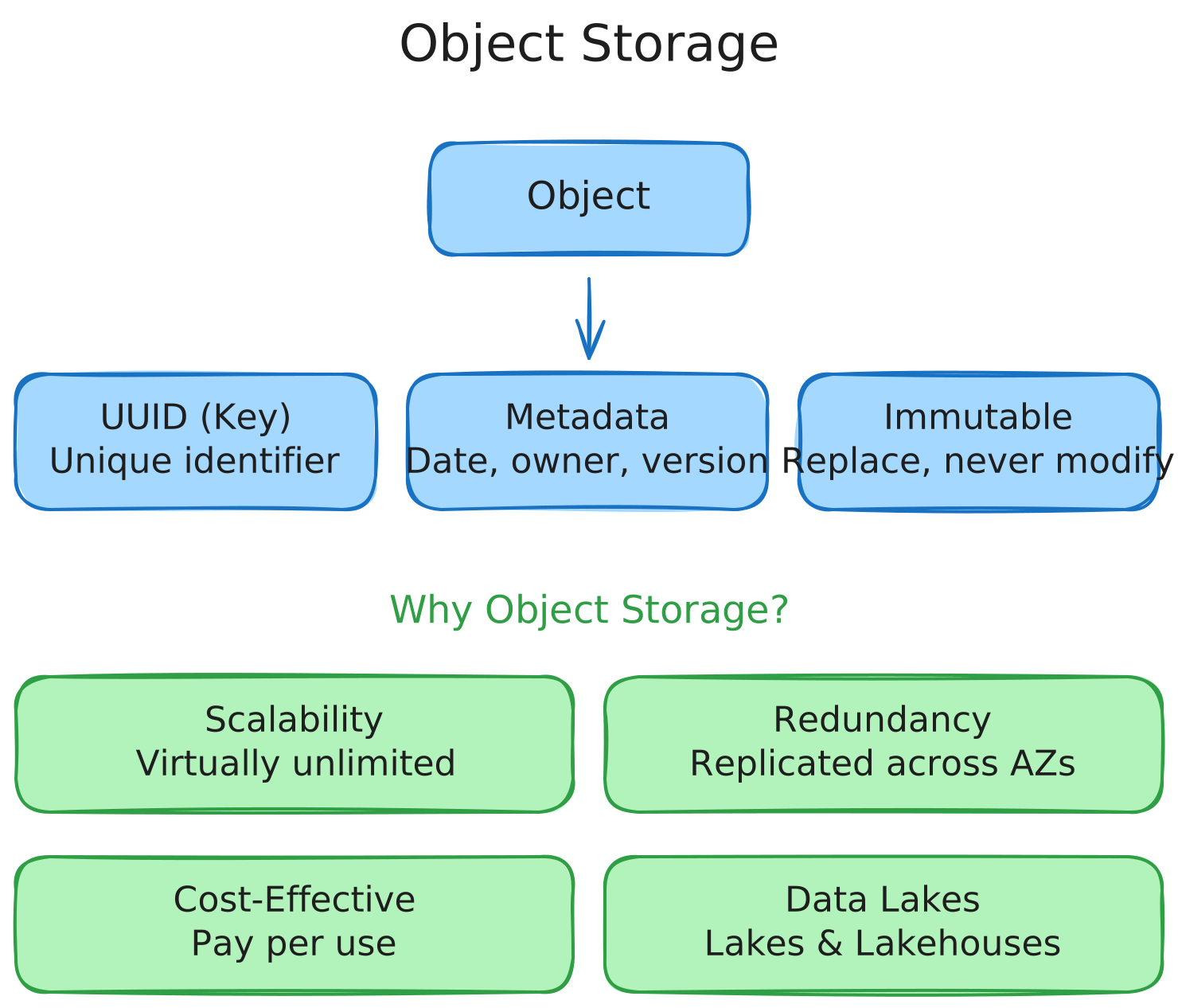
Object storage treats files as objects rather than using a hierarchical file system. Amazon S3 is the canonical example and is ideal for semi-structured and unstructured data (e.g., ML training data).
Object Components
- UUID (Key): Unique identifier.
- Metadata: File properties (e.g., creation date, owner, version).
- Immutable: Objects cannot be modified — only replaced.
Why Object Storage?
- Scalability: Virtually unlimited storage.
- Redundancy: Data is replicated across multiple availability zones.
- Cost-Effectiveness: Cheaper than other storage options.
- Used for Modern Architectures: Data Lakes, Data Lakehouses.
1.1.8 Logs
Logs are one of the most ubiquitous source systems and often overlooked until something breaks.
Logs are an append-only sequence of records ordered by time, capturing system events like user activity, database updates, and errors.
Use Cases
- System Monitoring & Debugging
- Data Analysis & Automation
- Machine Learning Pipelines
1.1.9 Streaming Systems
Streaming systems enable real-time data flow from producers to consumers. Understanding their vocabulary is key to working with event-driven architectures.
Key Terminology
- Event: A recorded occurrence or state change.
- Message: Data associated with an event.
- Stream: A sequence of messages.
Components
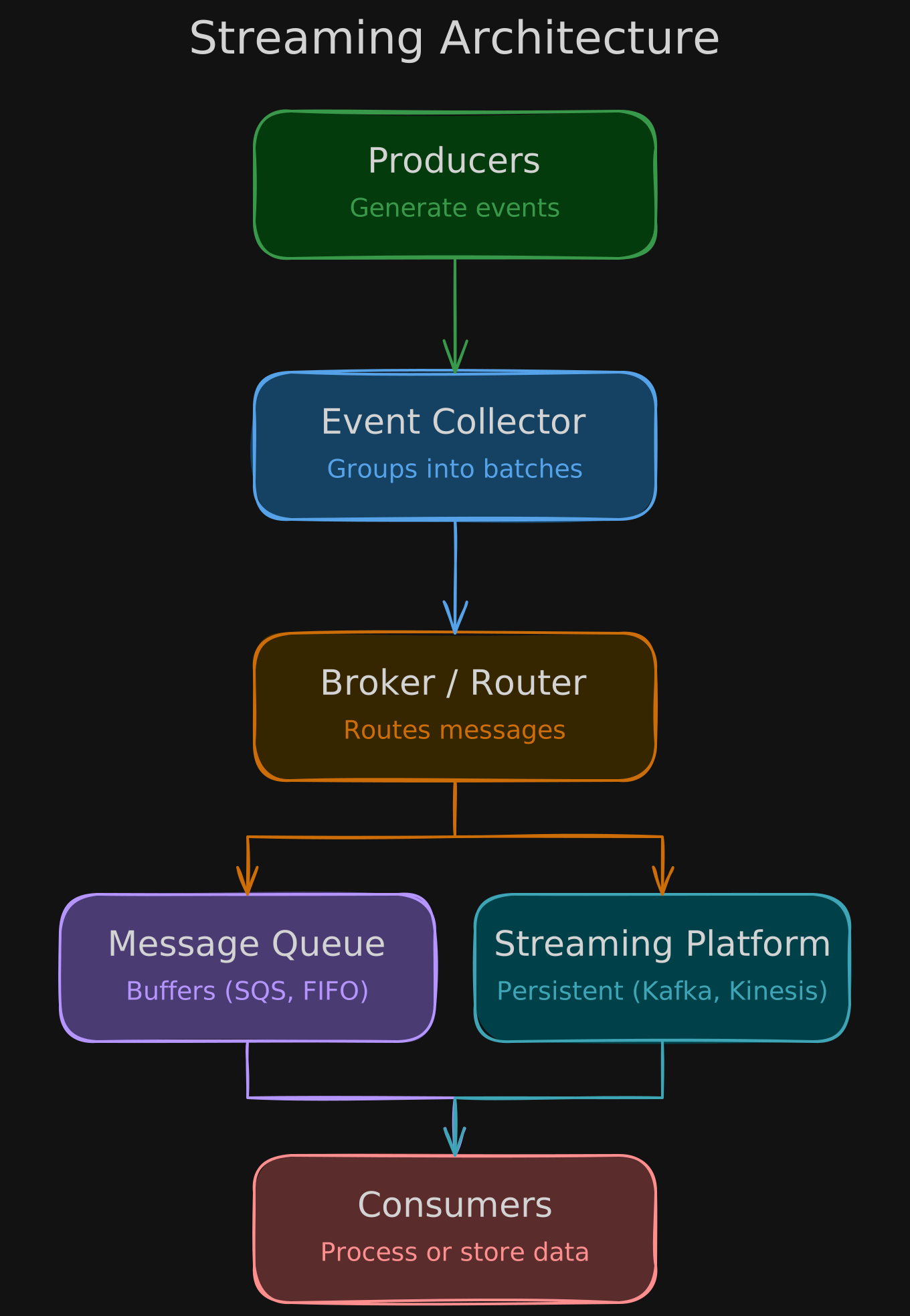
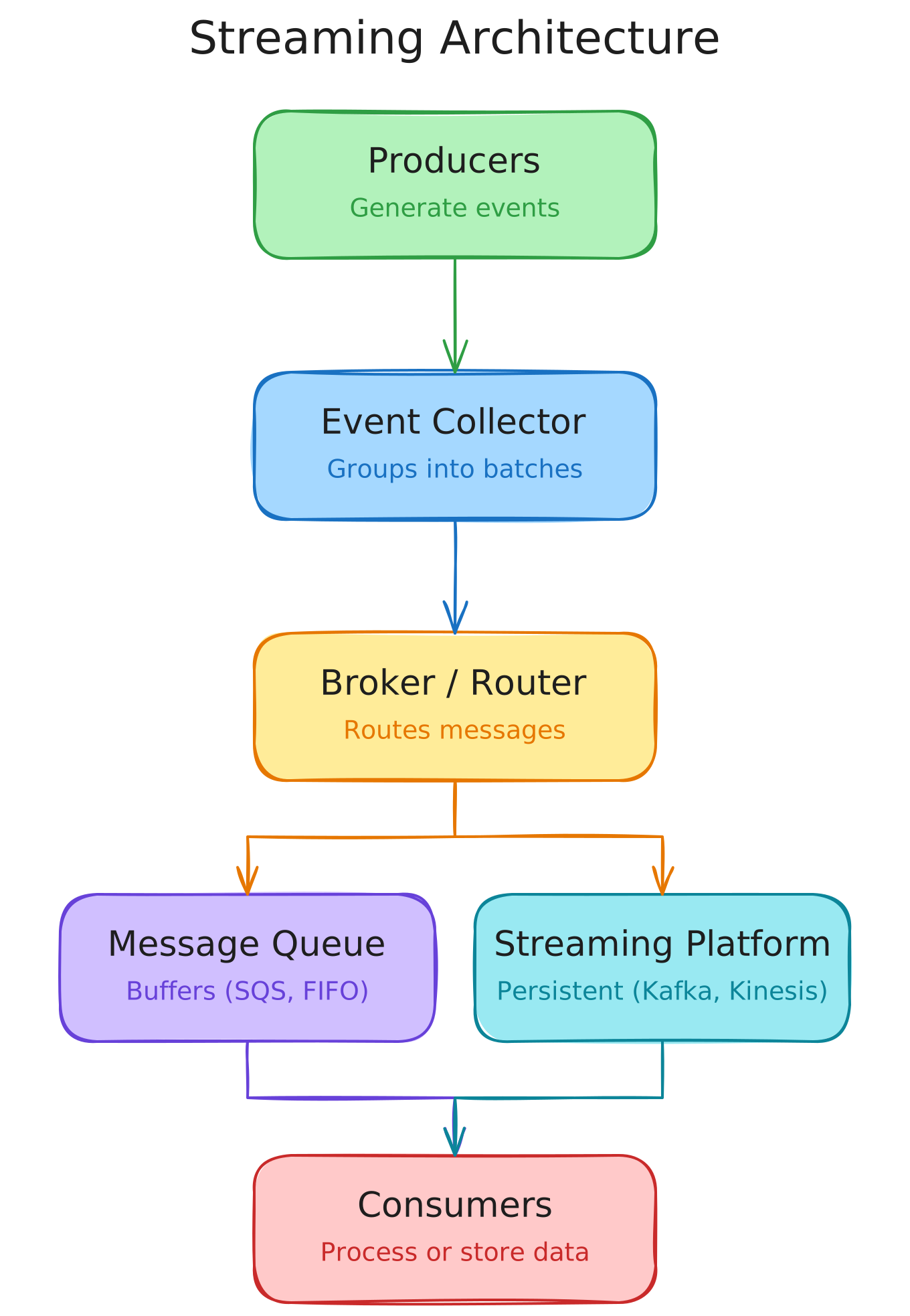
- Event Collector: Groups messages into batches for processing.
- Streaming Broker/Event Router: Routes messages from producer to consumer.
- Message Queue: Buffers messages (e.g.,
Amazon SQS, FIFO-based). - Streaming Platform: Persistent message storage (e.g.,
Kafka,Kinesis). - Log: Append-only sequence of events (enables replaying past events).