1.3 Storage in Databases
1.3.1 Database Management Systems
A database management system (DBMS) is the software layer that sits between your application and the raw storage hardware. It manages both relational and non-relational databases (such as graph databases). Understanding its architecture helps explain why different databases perform differently.
DBMS Architecture
| Component | Role |
|---|---|
| Transport system | Handles client connections and network communication |
| Query processor | Parses SQL/query language and optimizes the execution plan |
| Execution engine | Runs the optimized query plan against the storage layer |
| Storage engine | Manages how data is serialized, arranged on disk, and indexed |
The storage engine is the most relevant component for understanding performance tradeoffs.
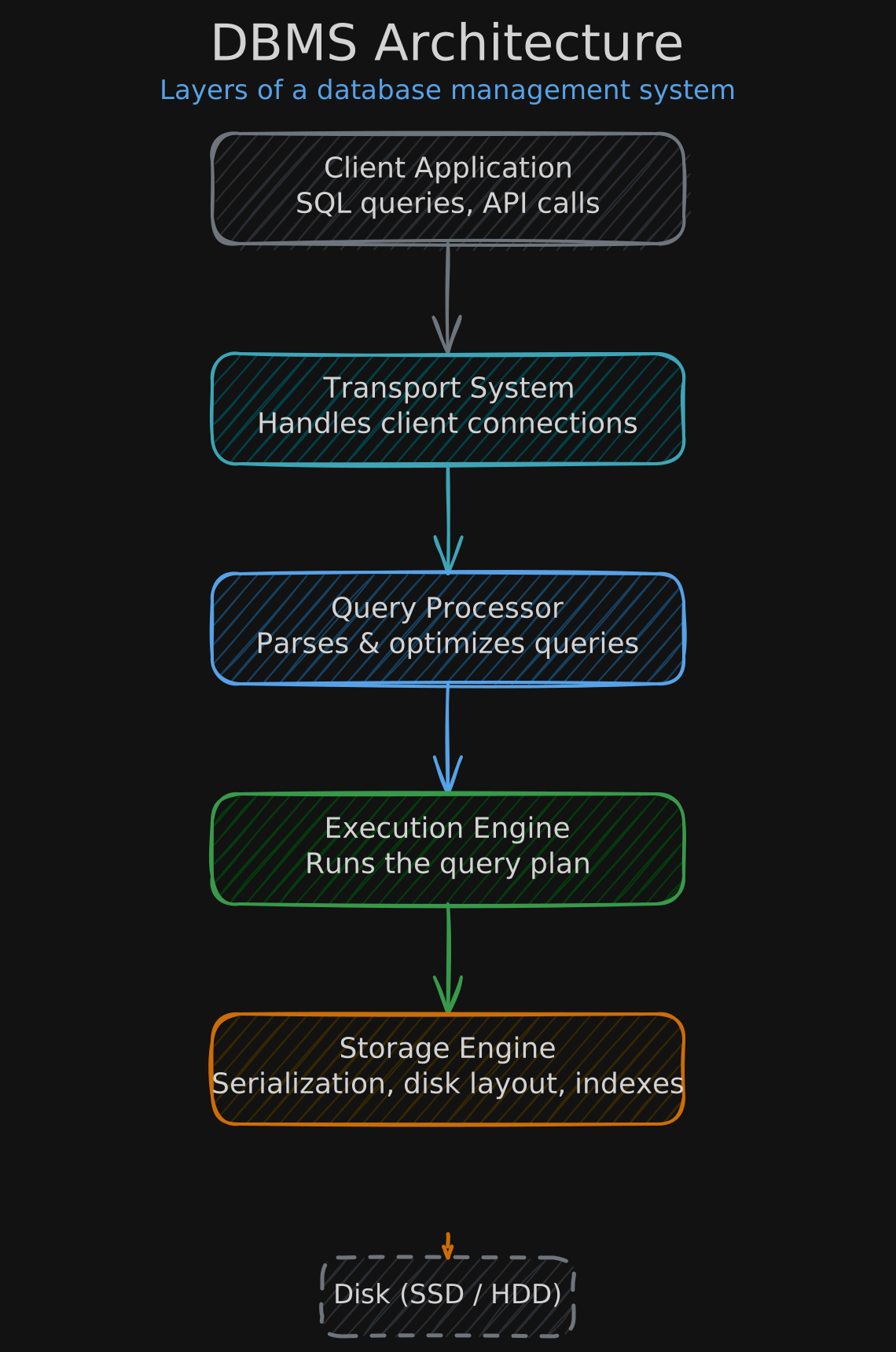
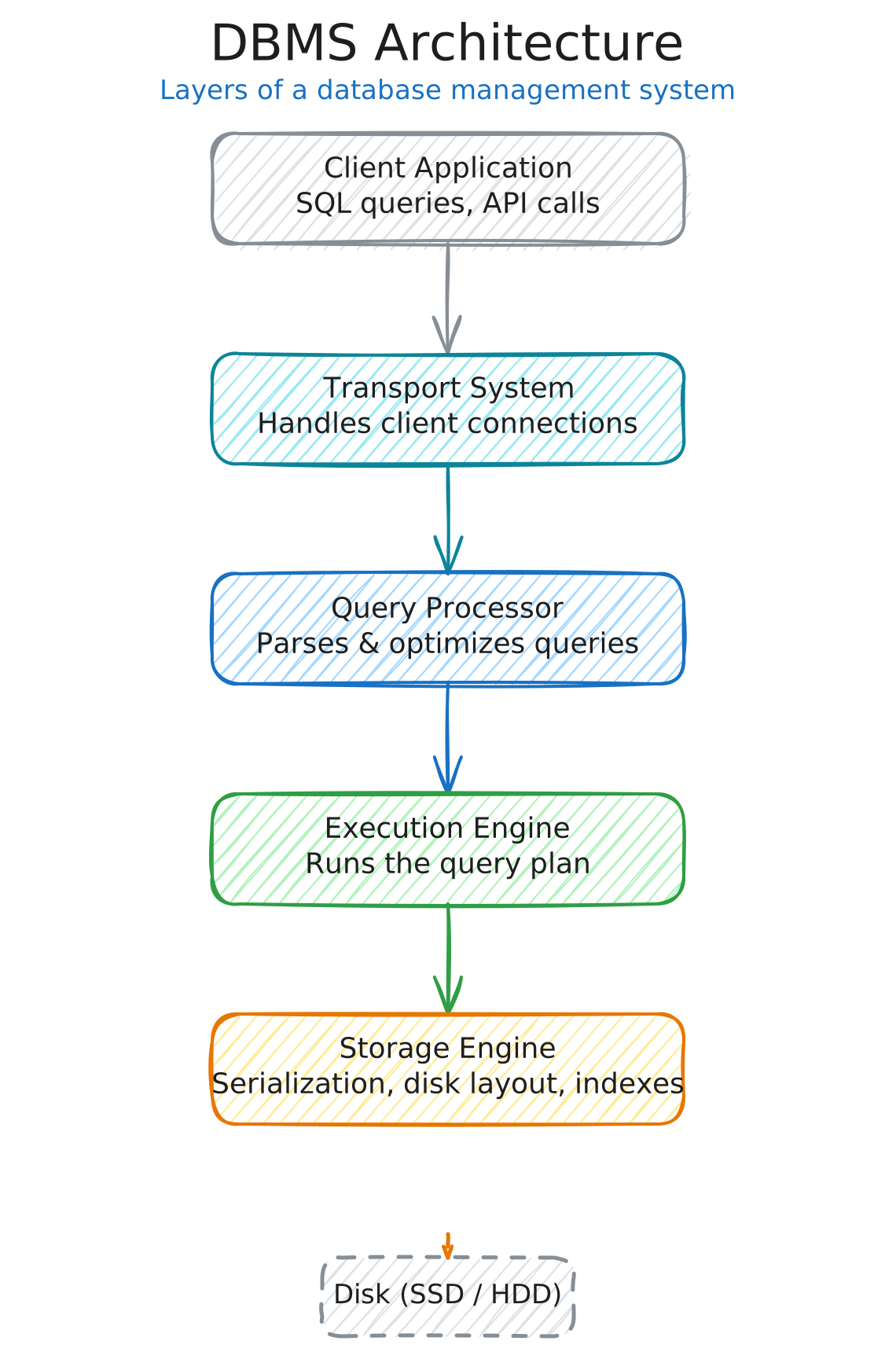 An **index** is a data structure that locates data in O(log n) time via binary search, instead of scanning all rows in O(n). Modern storage engines are optimized for SSDs, handle complex data types, and offer columnar support for analytical workloads.
In-Memory Storage Systems
In-memory stores trade durability for speed — they are fast and low-latency, but volatile. Common use cases include caching, real-time applications, and gaming.
| System | Type | Use case |
|---|---|---|
| Memcached | Key-value store | Caching database query results or API responses. Acceptable when data loss is tolerable. |
Redis | Key-value store | Richer data types (lists, sets, hashes). High-performance apps that can tolerate minor data loss. |




1.3.2 Row vs. Column Storage
The way data is physically arranged on disk has a dramatic impact on query performance.
Row-oriented storage writes each row as a contiguous sequence of bytes. This layout is ideal for OLTP workloads where you frequently read or write entire rows with low latency. However, it is inefficient for analytical queries that only need a subset of columns — the system must still scan every column across every row.
Column-oriented storage writes each column contiguously. This is ideal for OLAP analytical queries that aggregate a single column across millions of rows, but inefficient for transactional workloads that read/write entire rows.
Performance Example
Consider a table with 1 billion rows, 30 columns, 100 bytes per entry, and a 200 MB/s disk transfer speed:
-- how long does this take with row vs. column storage?
SELECT SUM(price) FROM my_table| Storage type | Data read | Calculation | Time |
|---|---|---|---|
| Row-oriented | All 30 columns, all rows | 1B × 30 × 100 bytes = 3,000,000 MB | ~4.2 hours |
| Column-oriented | Only the price column | 1B × 100 bytes = 100,000 MB | ~8.3 minutes |
| Row-Oriented | Column-Oriented | |
|---|---|---|
| Optimized for | OLTP (transactional) | OLAP (analytical) |
| Read pattern | Full rows at a time | Individual columns at a time |
| Write pattern | Append entire rows efficiently | Must write to each column file separately |
| Best when | Reading/writing complete records | Aggregating single columns across many rows |
| Examples | PostgreSQL, MySQL | Redshift, BigQuery, Snowflake |

 PostgreSQL

 MySQL
MySQL

 Redshift

 BigQuery

 Snowflake